
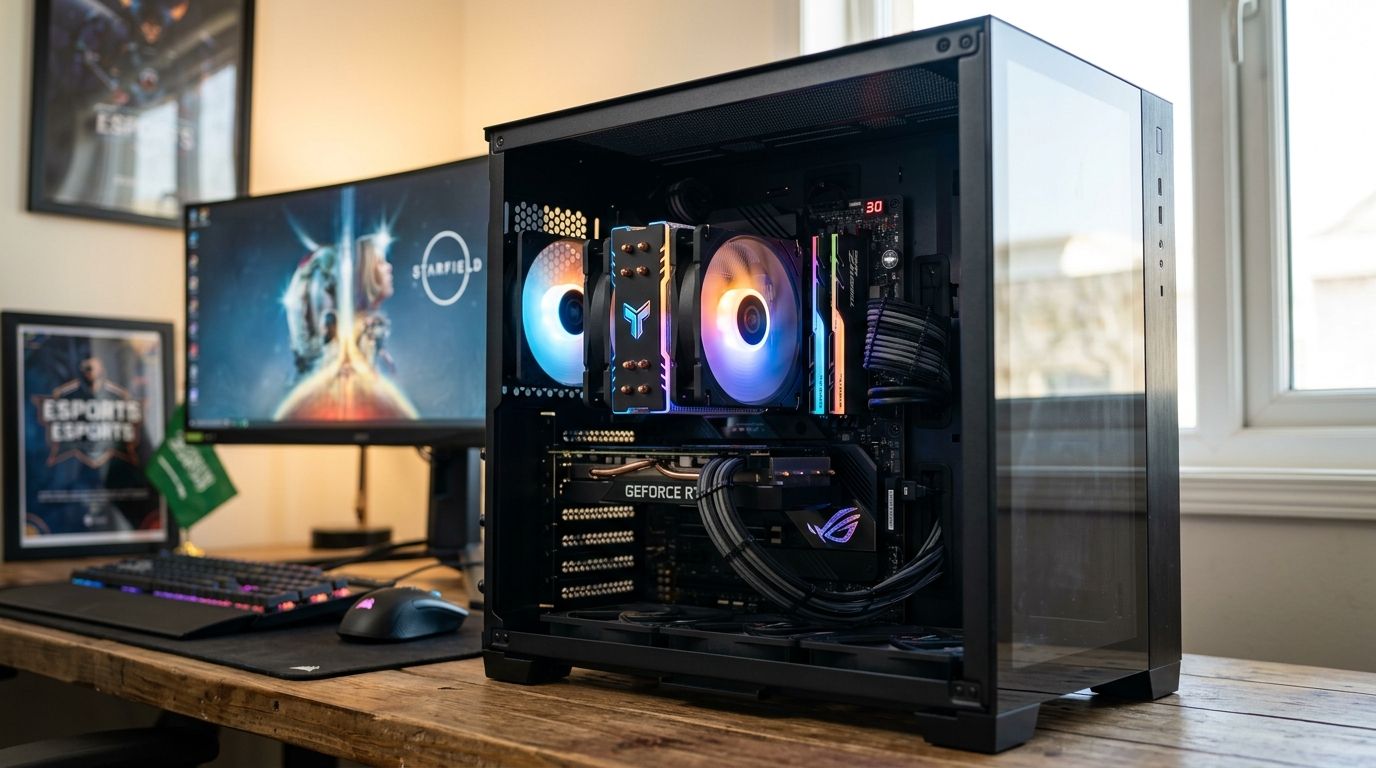
Picking a CPU cooler for a gaming PC comes down to two questions: how much heat does your CPU actually produce, and does the cooler physically fit your case. This guide ranks the six cooler categories that matter for gaming builds in Saudi Arabia in 2026 and tells you which one fits your setup.
- A 360mm AIO liquid cooler is the best cpu cooler for gaming pc builds running flagship CPUs and GPUs in 2026.
- Single-tower air coolers cover budget and entry gaming PCs with zero pump-failure risk.
- A 240mm AIO liquid cooler is the balanced pick for most mid-range gaming builds.
- Mini-ITX gaming PCs need a low-profile air cooler to clear the case side panel.
- Match radiator size or tower height to your case spec sheet before you order anything.
Best overall: 360mm AIO liquid cooler. Best for mid-range builds: 240mm AIO liquid cooler. Best budget option: single-tower air cooler.
Why this matters
A CPU cooler that can't keep up with your chip throttles clock speed under load, and in a gaming PC that shows up as frame drops during long sessions, not just a warm case. High-TDP chips like AMD Ryzen 9 or Intel Core i9, paired with a flagship GPU, push far more heat than the CPU cooler that shipped in a budget prebuilt was ever designed for. Check the AMD Ryzen CPU lineup you're pairing the cooler with before you buy — a Ryzen 5 and a Ryzen 9 need very different cooling budgets.
Room temperature matters too. A gaming room that runs warm because of ambient heat pushes every cooler's numbers up a few degrees, so building in headroom rather than buying to the exact minimum spec pays off over a two- or three-year build life.
What makes the best CPU cooler for a gaming PC
- Thermal capacity relative to CPU TDP — does it hold temps under load on the specific chip you're running
- Socket compatibility — AM5 for current AMD Ryzen builds, LGA1700 or LGA1851 for current Intel builds
- Case clearance — radiator size or tower height measured against your case's actual mount spec, not a guess
- Noise output under sustained gaming load, not just idle
- Pump or fan reliability and how much maintenance the cooler asks for over its life
- RGB and aesthetic fit, last on the list because it changes nothing about thermal performance
“If the radiator doesn't fit the case, the CPU cooler doesn't matter.”
At a glance: CPU coolers for gaming PCs compared
| Cooler type | Best for | Standout feature | Key limitation |
|---|---|---|---|
| 360mm AIO liquid cooler | Flagship, high-TDP gaming PCs | Largest radiator surface for max heat dissipation | Needs a case built for a 360mm radiator mount |
| Single-tower air cooler | Budget gaming PCs | No pump, no liquid, lowest maintenance | Limited headroom on Ryzen 9 or Core i9 |
| 240mm AIO liquid cooler | Mid-range gaming PCs | Fits most mid-tower case radiator mounts | Pump adds a failure point air coolers don't have |
| Dual-tower air cooler | Quiet, long-term builds | Two towers spread heat across more fin surface | Tallest, widest option — measure your case first |
| Low-profile air cooler | Mini-ITX gaming PCs | Clears tight small-form-factor side panels | Lowest thermal ceiling on this list |
| 280mm AIO liquid cooler | Overclocked AMD Ryzen builds | Middle ground between 240mm and 360mm radiators | Fewer cases support a 280mm mount |
1. 360mm AIO liquid cooler: best CPU cooler for gaming PC flagship builds
A 360mm all-in-one liquid cooler runs a triple-fan radiator against a pump block mounted directly on the CPU. It's built for gaming PCs pairing a high-TDP chip like AMD Ryzen 9 or Intel Core i9 with a flagship GPU, where sustained gaming load pushes heat output past what any air tower can move.
360mm AIO pros:
- Handles the hottest CPUs available for gaming builds in 2026 without throttling
- Keeps CPU temps stable even while the GPU is dumping heat into the same case
- Frees up socket-area clearance for tall RAM heatsinks and motherboard VRM sinks
360mm AIO cons:
- Needs a case with a dedicated 360mm radiator mount — check the case spec sheet first
- Pump failure ends the cooler outright, a risk air coolers don't carry
- Heavier and more involved to install than a single-tower air cooler
360mm AIO pricing: check current pricing on the product listing — it moves with radiator brand and RGB fan configuration.
Best for: flagship gaming PCs and overclocked builds running the hottest CPUs on the market in 2026.
Verdict: Buy — the safest call for high-end 2026 builds.
2. Single-tower air cooler: best CPU cooler for gaming PC budget builds
A single-tower air cooler bolts a heatsink stack straight onto the CPU and clears heat with one or two 120mm or 140mm fans. No pump, no tubing, no liquid to leak. For most budget and entry-level gaming PCs running mid-tier CPUs, that's already more cooling than the chip needs.
Single-tower air cooler pros:
- Nothing to leak or pump-fail — the simplest cooler here to run for years
- Costs less than an AIO liquid cooler at a comparable performance tier
- Installs in minutes on most current AM5 and LGA1700 motherboards
Single-tower air cooler cons:
- Lower thermal ceiling than a 240mm or 360mm AIO under sustained heavy load
- Tower height can clash with tall RAM heatsinks in cramped cases
- Not built for pushing a Ryzen 9 or Core i9 at full overclock
Single-tower air cooler pricing: pricing tracks tower height and fan count — confirm on the listing.
Best for: budget gaming PCs and everyday builds that don't chase overclocking headroom.
Verdict: Buy — the default pick until your CPU's TDP says otherwise.
3. 240mm AIO liquid cooler: best CPU cooler for gaming PC mid-range builds
A 240mm AIO splits the difference between a single air tower and a full 360mm radiator. Two 120mm fans push air through the radiator while the pump block sits flush on the CPU, and most mid-tower gaming cases sold in 2026 ship with a 240mm mount already built in.
240mm AIO pros:
- Fits the radiator mount on the majority of mid-tower gaming cases
- Handles mid-range and most high-end CPUs without throttling under gaming load
- Lower installed height than a dual-tower air cooler, less RAM clearance risk
240mm AIO cons:
- Less thermal headroom than a 360mm radiator if you plan to overclock hard
- Still carries pump risk, unlike air coolers
- RGB pump heads add cost without adding cooling capacity
240mm AIO pricing: confirm current pricing on the listing — it shifts with radiator brand and fan RGB.
Best for: mid-range gaming PCs that want liquid cooling without a case rebuild.
Verdict: Buy — the balanced pick for most builds.
4. Dual-tower air cooler: best CPU cooler for gaming PC silent operation
A dual-tower air cooler runs two heatsink stacks side by side, usually spinning two 140mm fans slower than a single-tower design needs to hit the same temperature. Lower fan speed at the same thermal output means less noise, which matters when the PC sits next to you during long sessions.
Dual-tower air cooler pros:
- Spreads heat across double the fin surface of a single-tower cooler, running fans slower for the same result
- No pump, no liquid — same reliability profile as any air cooler
- Often outperforms a 240mm AIO on raw thermal capacity
Dual-tower air cooler cons:
- Tallest, widest cooler on this list — measure your case before ordering
- Can block the first RAM slot or a top-mounted case fan on compact motherboards
- Heavier cooler puts more mechanical stress on the socket during shipping
Dual-tower air cooler pricing: check the current listing — dual-tower units price close to 240mm AIOs.
Best for: builds prioritizing quiet operation and long-term reliability over RGB.
Verdict: Buy — pick this over a 240mm AIO when silence matters more than looks.
5. Low-profile air cooler: best CPU cooler for gaming PC Mini-ITX builds
A low-profile air cooler keeps the whole assembly under the height of a case side panel, built specifically for small form factor and Mini-ITX gaming PCs where a tower cooler or AIO radiator simply won't fit.
Low-profile air cooler pros:
- Clears tight Mini-ITX case side panels a tower cooler or AIO radiator can't
- Lighter cooler puts less mechanical stress on compact motherboards
- Still handles mid-range CPUs in a well-ventilated small case
Low-profile air cooler cons:
- Lowest thermal ceiling on this list — not built for Ryzen 9 or Core i9 at full boost under sustained load
- Limited fan size options restrict airflow compared to tower designs
- Fewer RGB or aesthetic options than full-size coolers
Low-profile air cooler pricing: check the product page — pricing tracks fan size and mounting hardware included.
Best for: Mini-ITX and small form factor gaming PCs where case height is the hard constraint.
Verdict: Hold — only choose this when case clearance forces the decision.
6. 280mm AIO liquid cooler: best CPU cooler for gaming PC overclocked AMD Ryzen builds
A 280mm AIO sits between the 240mm and 360mm radiator sizes, running two 140mm fans instead of 120mm ones for more airflow per fan without needing a case built for a triple-fan radiator.
280mm AIO pros:
- More thermal headroom than a 240mm AIO without needing a full 360mm case mount
- 140mm fans move more air per rotation, often running quieter at the same output
- Good middle ground for overclocked AMD Ryzen 9 builds that don't need flagship-tier cooling
280mm AIO cons:
- Fewer case options support a 280mm mount compared to 240mm or 360mm
- Still carries the same pump-failure risk as any liquid cooler
- Price sits close to 360mm units — check whether the size difference matters for your case
280mm AIO pricing: confirm on the product listing — pricing depends on radiator brand and RGB fan configuration.
Best for: overclocked AMD Ryzen builds in cases that don't support a 360mm radiator.
Verdict: Buy — check your case's radiator mount before choosing this over a 360mm.
How we ranked these
Each cooler type got sorted by thermal capacity against real CPU TDP ranges, socket compatibility across AM5 and Intel's current sockets, physical case clearance, noise under gaming load, and pump or fan reliability. RGB counted last, since it changes nothing about actual cooling. The result reads as a decision tree by use case, not a single leaderboard — a Mini-ITX build and a flagship Ryzen 9 rig were never competing for the same slot.
Which CPU cooler should you choose in 2026?
If your case supports it and your CPU runs hot, buy the 360mm AIO liquid cooler — it's the highest-headroom option and the safest bet for a build you want to keep for years. If you're unsure your case has a 360mm mount, the 240mm AIO liquid cooler is the safer default that fits almost every mid-tower case sold in 2026. Building on a tighter budget or running a mid-tier CPU, the single-tower air cooler does the job with nothing to maintain.
Build your cooling setup
Browse gaming PC builds and cooling-ready components at GamerZone.
FAQ
What's the best CPU cooler for a gaming PC in 2026?
A 360mm AIO liquid cooler is the best CPU cooler for a gaming PC in 2026 if your case supports the radiator mount and you're running a high-TDP CPU. For most mid-range builds, a 240mm AIO liquid cooler is the safer, more widely compatible pick.
Is an AIO liquid cooler better than an air cooler for gaming?
An AIO liquid cooler handles higher CPU TDPs than most air coolers, but a single-tower or dual-tower air cooler is more reliable long-term since it has no pump to fail. For mid-range gaming CPUs, either type keeps temps in check.
Does a 360mm AIO cooler fit any gaming PC case?
No — a 360mm AIO needs a case with a dedicated 360mm radiator mount, usually in the front or top panel. Check the case's spec sheet before buying; not every mid-tower case supports it.
How much cooling does a Ryzen 9 or Core i9 need in a gaming build?
High-TDP chips like AMD Ryzen 9 or Intel Core i9 perform best under a 280mm or 360mm AIO liquid cooler, or a dual-tower air cooler, especially when paired with a flagship GPU generating additional case heat.
Can I use an air cooler on a Mini-ITX gaming PC?
Only a low-profile air cooler fits most Mini-ITX cases — standard tower coolers and AIO radiators are usually too tall or wide for small form factor side panels. Measure your case clearance before ordering.
Is a 240mm AIO enough for gaming in 2026?
Yes, a 240mm AIO liquid cooler handles mid-range and most high-end gaming CPUs without throttling under typical gaming loads. Heavy overclocking on a high-TDP chip is where a 280mm or 360mm radiator pulls ahead.
Do CPU coolers need to match the CPU socket?
Yes — coolers ship with mounting kits for specific sockets like AM5 for current AMD Ryzen CPUs or LGA1700/LGA1851 for current Intel CPUs. Check the cooler's supported socket list against your motherboard before buying.
How often does an AIO liquid cooler need maintenance?
Closed-loop AIO liquid coolers are sealed and don't need refilling under normal use, but the pump is the one component that can fail over a multi-year build life. Air coolers avoid this risk entirely since there's no liquid or pump.
One last thing
Before buying any air cooler taller than roughly 150-160mm, check your motherboard's RAM slot clearance spec. Tower coolers are the single most common reason a tall heatsink RAM kit won't physically fit in an otherwise compatible case — the cooler mounts fine, the RAM just can't sit under the fan shroud. A DDR5 motherboard clearance guide is worth checking alongside the cooler spec, not after you've already ordered both.


