
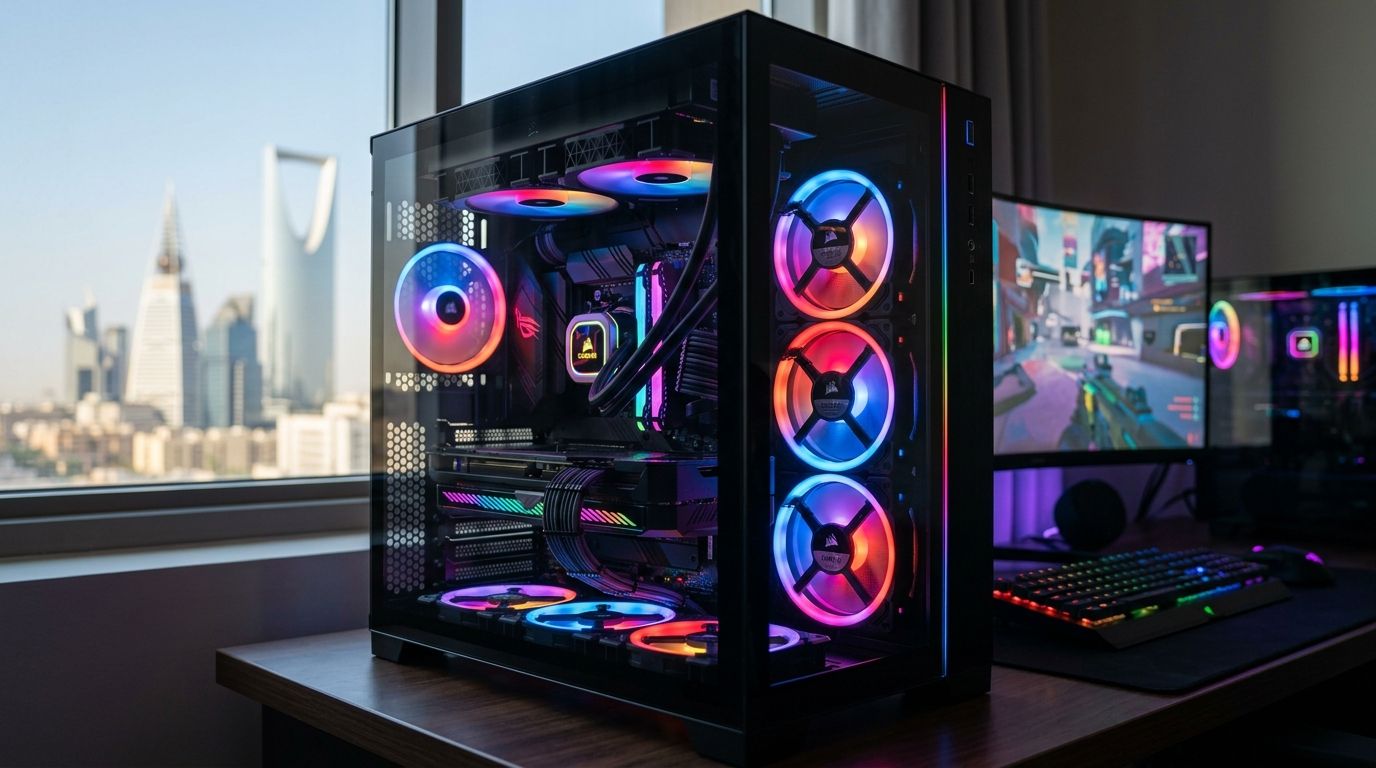
Picking the right RGB PC fan for a gaming build in 2026 comes down to matching airflow or static pressure to your case and radiator, not to which fan glows the brightest. This guide ranks six RGB PC fan types by the job they actually do in a Saudi Arabia gaming build, so you buy the one that fits your case instead of the one with the flashiest box.
- High-static-pressure 120mm ARGB fans are the pick for radiator and AIO builds in 2026.
- 140mm ARGB airflow fans move more air per RPM in open-air gaming cases.
- Budget ARGB bundles with a digital controller hub cut cabling for first-time builders.
- Motherboard-sync ARGB fans on a standard 5V 3-pin header avoid RGB software lock-in.
- Low-RPM PWM ARGB fans keep noise down for desks and shared rooms.
Why this matters
Riyadh, Jeddah, and the Eastern Province regularly push summer ambient temperatures past 40°C, and that heat gets pulled straight into an open PC case through the intake fans. A gaming PC with the wrong RGB PC fan setup runs hotter, throttles under load, and collects dust faster than one built around correct airflow and static pressure. Gamerzone stocks components across CPUs, GPUs, and cooling for exactly this reason: the fan choice matters as much as the graphics card once ambient temperatures climb.
The second problem is RGB software. Motherboard vendors each run their own sync app, and a fan built for the wrong header standard either won't sync at all or needs a separate controller box sitting inside the case. Get the header type wrong before you buy an RGB PC fan and you're stuck running two lighting ecosystems side by side.
What makes the best RGB PC fan
- Airflow (CFM) vs static pressure — determines whether a fan belongs on a radiator or in an open case slot
- Header standard — 5V 3-pin addressable vs 12V 4-pin RGB decides which motherboard software controls it
- Bearing type — fluid dynamic bearings run quieter and last longer in dusty, high-heat conditions
- Noise at full RPM — matters most for fans sitting near a desk or behind a tempered-glass panel
- Daisy-chain and hub support — fewer motherboard headers used, cleaner cable routing inside the case
- Frame size fit — 120mm and 140mm cover nearly every mid-tower and full-tower case sold in Saudi Arabia in 2026
RGB PC fan types at a glance
| Fan type | Best for | Standout feature | Key limitation |
|---|---|---|---|
| High-static-pressure 120mm ARGB | Radiator/AIO builds | Tighter blade angle pushes air through dense fin stacks | Moves less open-air volume than a 140mm fan |
| 140mm ARGB airflow fans | Open-air case airflow | Higher CFM at lower RPM than 120mm equivalents | Doesn't fit radiators built for 120mm spacing |
| ARGB bundle with controller hub | Budget multi-fan builds | One hub replaces 3-6 individual motherboard headers | Cheap hubs drop sync or flicker under load |
| Motherboard-sync ARGB (5V 3-pin) | Cross-brand RGB software | Works with MSI Mystic Light, ASUS Aura, and Gigabyte Fusion | Needs a compatible 3-pin ARGB header on the board |
| Low-RPM PWM ARGB | Quiet, shared-room builds | Wide PWM range keeps idle RPM low | Static pressure drops off at the low end |
| Reverse-blade dual-frame ARGB | Front intake behind glass panels | Blade shape recovers airflow lost to restricted mesh | Harder to find outside flagship fan lineups |
1. High-static-pressure 120mm ARGB fans: best for radiator and AIO builds
These fans use a steeper blade pitch built to force air through the dense fin stack of a radiator, which is exactly what an AIO cooler or custom loop needs on top and front mounts. They're the default choice for anyone running a liquid-cooled CPU in a best gaming PCs in Saudi Arabia build in 2026.
High-static-pressure 120mm ARGB fans pros:
- Push air through 240mm/360mm radiators without RPM spiking
- Standard 120mm mount fits nearly every AIO cooler sold today
- Widely available with 5V 3-pin ARGB headers
High-static-pressure 120mm ARGB fans cons:
- Underperform on open case grilles compared to airflow-optimized fans
- Higher static-pressure models run louder at max RPM
Best for: liquid-cooled CPU builds and any radiator-mounted setup. Verdict: Buy if your case runs an AIO or custom loop.
2. 140mm ARGB airflow fans: best for open-air case airflow
A 140mm fan spins slower than a 120mm fan for the same CFM output, which means less motor noise for the same amount of air moved through an open front or top panel. This is the fan to run on intake and exhaust slots that aren't mounted to a radiator.
140mm ARGB airflow fans pros:
- Lower RPM for equivalent airflow versus 120mm fans
- Fewer fans needed to hit the same total CFM in a case
- Quieter at idle and light load
140mm ARGB airflow fans cons:
- Won't fit radiators designed around 120mm spacing
- Fewer case front-panel mounts support 140mm than 120mm
Best for: open front-panel intake and rear/top exhaust in mid-tower and full-tower cases. Verdict: Buy for any case with 140mm-rated mounting points.
3. ARGB fan bundles with a digital controller hub: best for budget multi-fan builds
A controller hub takes the ARGB and PWM signal from one motherboard header and fans it out to four to six fans, cutting cable clutter in cases running five or more fans. This matters most on a first build where header count on the motherboard is limited.
ARGB bundle pros:
- One motherboard header controls the whole fan set
- Cleaner cable routing behind the motherboard tray
- Usually the lowest cost per fan in a multi-fan build
ARGB bundle cons:
- Hub quality varies sharply between bundles
- A failed hub can drop sync or lighting on every fan attached to it
Best for: first-time builders running five-plus fans on a limited motherboard header budget. Verdict: Buy, but check hub reviews before committing to a bundle.
4. Motherboard-sync ARGB fans on the 5V 3-pin header: best for cross-brand RGB software
The 5V 3-pin addressable header is the standard MSI Mystic Light, ASUS Aura Sync, and Gigabyte RGB Fusion all read natively, so a fan built to this spec syncs with whatever motherboard software the build already runs. This avoids the older 12V 4-pin RGB standard, which only controls single-color lighting zones rather than individually addressable LEDs.
Motherboard-sync ARGB fans pros:
- Reads directly into existing motherboard RGB software
- No separate app or controller box required
- Individually addressable LEDs, not single-zone lighting
Motherboard-sync ARGB fans cons:
- Requires a 3-pin ARGB header on the motherboard, which some budget boards skip
- Confusing a 5V 3-pin fan with a 12V 4-pin header can damage the fan
Best for: builds where matching RGB fans, RAM, and motherboard lighting under one app matters. Verdict: Buy once you've confirmed the header type on your board.
5. Low-RPM PWM ARGB fans: best for quiet, shared-room builds
PWM control lets the fan curve idle at low RPM under light load and only ramp up under sustained gaming load, which keeps a rig quiet when it's sitting on a desk or streaming setup. The tradeoff is that the same fan loses static pressure at the bottom of its RPM range.
Low-RPM PWM ARGB fans pros:
- Noticeably quieter at idle and during browsing or light gaming
- Wide PWM range gives fine control over the noise-to-cooling tradeoff
- Fits well in bedroom or shared-office gaming setups
Low-RPM PWM ARGB fans cons:
- Weaker static pressure than dedicated radiator fans at low RPM
- Needs a case with decent baseline airflow to avoid heat buildup
Best for: streaming setups and shared rooms where fan noise is a real complaint. Verdict: Buy for quiet builds; Skip if your CPU or GPU runs hot under sustained load.
6. Reverse-blade dual-frame ARGB fans: best for front intake behind tempered glass
Cases with a solid tempered-glass front panel restrict airflow more than a mesh front, and reverse-blade fans are built specifically to claw back some of that lost airflow through a restricted opening. They're a niche pick, not a default one.
Reverse-blade dual-frame ARGB fans pros:
- Recovers airflow lost to restricted glass-panel front intakes
- Dual-frame design often adds a secondary lighting ring
Reverse-blade dual-frame ARGB fans cons:
- Harder to source than standard-blade ARGB fans
- Overkill for mesh-front cases, where standard fans already perform well
Best for: tempered-glass-front cases with no mesh intake option. Verdict: Buy only if your case front panel is solid glass; Skip otherwise.
Build your RGB setup with Gamerzone
Browse cooling and RGB fans across Gamerzone's PC components catalog.
How this list was ranked
Each RGB PC fan type above was ranked against the six criteria set out earlier: airflow versus static pressure, header standard, bearing type, noise at full RPM, hub/daisy-chain support, and frame-size fit. No two entries compete for the same use case — a radiator fan and an airflow fan solve different problems, so neither one is a substitute for the other in a 2026 gaming build.
“Mixing a 12V 4-pin RGB fan with a 5V 3-pin ARGB header is the single most common sync failure in gaming PC builds.”
Which RGB PC fan should you choose?
If you're building or upgrading a gaming PC in Saudi Arabia in 2026 and you're not sure where to start: run a set of 140mm ARGB airflow fans on intake, pair them with high-static-pressure 120mm ARGB fans on your radiator or exhaust, and confirm your motherboard's ARGB header is 5V 3-pin before you buy anything. That combination covers airflow, radiator cooling, and RGB sync for most mid-tower builds without over-fanning the case.
FAQ
What's the best RGB PC fan for gaming builds in 2026?
There's no single best RGB PC fan — high-static-pressure 120mm fans win on radiators and AIO coolers, while 140mm airflow fans win on open case intake and exhaust in 2026 builds.
Is a 120mm or 140mm RGB fan better for airflow?
A 140mm RGB fan moves more air at a lower RPM than a 120mm fan, so it runs quieter for the same airflow in an open case. A 120mm fan is still the better fit for radiators built around 120mm spacing.
Do RGB PC fans need a special motherboard header?
Most addressable RGB PC fans need a 5V 3-pin ARGB header on the motherboard. Older single-color RGB fans use a separate 12V 4-pin header, and the two are not interchangeable.
How many RGB fans does a gaming PC need?
Most mid-tower gaming PCs run comfortably with 3-5 fans: 1-2 intake, 1-2 exhaust, and a radiator fan set if the CPU is liquid-cooled. More fans than that mainly add noise without meaningfully lowering temperatures.
Are RGB fans louder than plain fans?
RGB PC fans aren't louder by design — noise comes from RPM and blade design, not the LEDs. A low-RPM PWM ARGB fan runs quieter than a non-RGB fan pushed to a high static-pressure curve.
Can I mix RGB fan brands on one build?
Yes, as long as every fan uses the same header standard (5V 3-pin ARGB or 12V 4-pin RGB) and connects into the motherboard's native software or a shared controller hub.
Do RGB fans affect gaming PC temperatures?
The RGB lighting itself has no effect on cooling performance — temperatures depend entirely on the fan's airflow or static-pressure rating, not whether it lights up.
How much does an RGB fan controller hub matter?
A controller hub matters most in builds running five or more fans, since it consolidates cabling into one motherboard header. A low-quality hub can cause sync drops or flickering across every fan attached to it.
One last thing
Most RGB sync complaints in Saudi Arabia gaming builds trace back to one mistake: buying a 12V 4-pin RGB fan and expecting it to sync individually addressable colors through a 5V 3-pin ARGB header. Check the header pinout on your motherboard manual before you buy an RGB PC fan, not after it's already mounted.


