
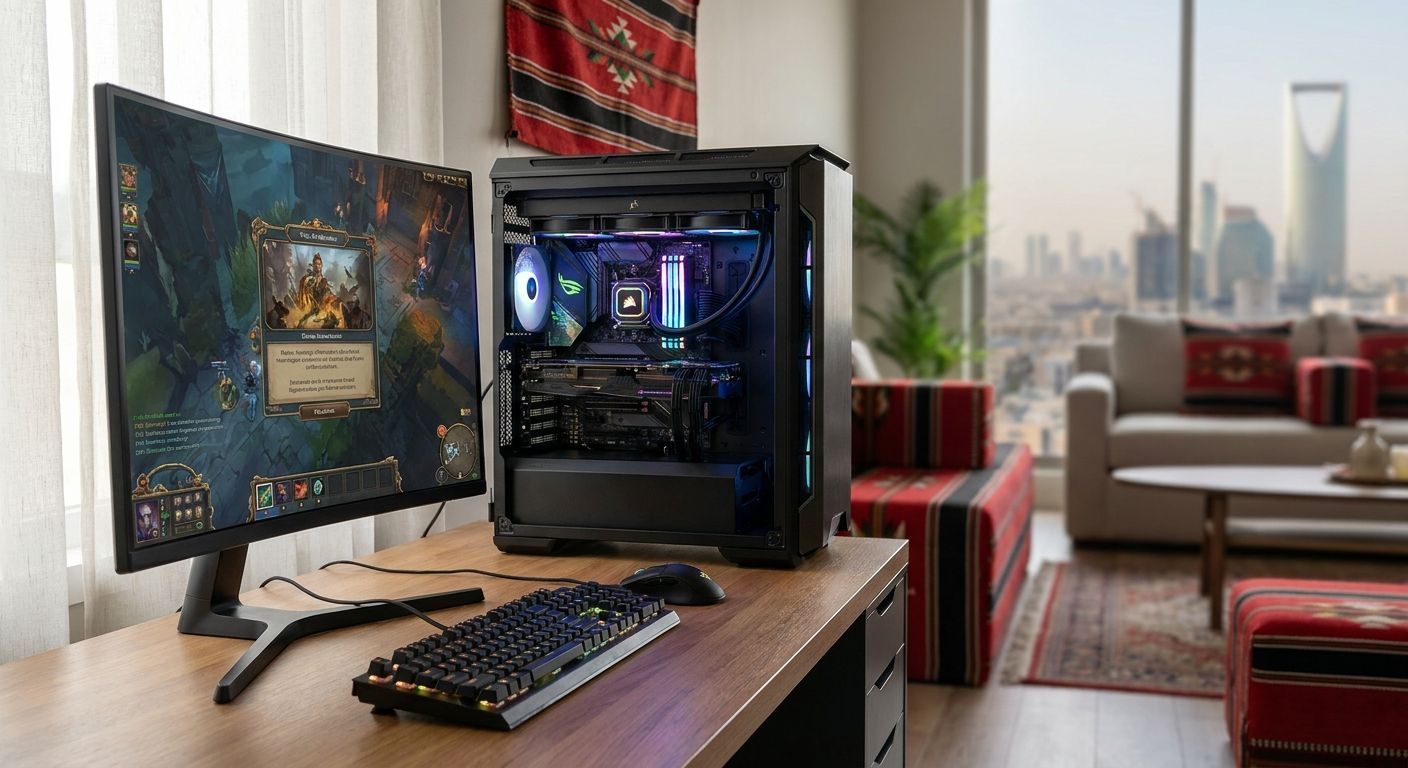
Custom and pre-built gaming PC options in Saudi Arabia range from entry-level 1080p rigs to full 4K streaming machines, and the right pick depends on the resolution, games, and budget you're building around in 2026.
- A mid-range custom gaming PC is the best overall gaming PC for 1440p play in 2026 for most KSA buyers.
- Budget builds still handle competitive esports titles like Valorant and CS2 at high frame rates.
- Pre-built gaming PC options save configuration time but limit upgrade flexibility later.
- High-end custom builds are the only real option for 4K gaming and ray tracing in 2026.
- Gamerzone sells across all five tiers, so the decision comes down to resolution and workload, not availability.
Why this matters
Buying a gaming PC in Saudi Arabia in 2026 isn't just about picking a GPU number off a spec sheet. Local buyers deal with import timelines on components, regional pricing swings tied to GPU supply, and a market where pre-built and custom shops sit side by side. Gamerzone sells both custom-configured and pre-built gaming PCs plus the individual components, which means the same storefront covers every tier below.
The mistake most first-time buyers make is chasing the highest GPU tier they can afford instead of matching the build to the resolution and games they actually play. A 4K-ready gaming PC is wasted money on a 1080p monitor, and a budget esports build will bottleneck a competitive gamer trying to run ray-traced AAA titles at 1440p.
What makes the best gaming PC
- GPU-to-resolution match — the graphics card should fit the monitor's resolution and refresh rate, not exceed it for no reason
- Cooling and case airflow — sustained frame rates over long sessions depend on thermals, not just raw component specs
- Upgrade path — motherboard chipset and PSU headroom determine whether you can swap in a new GPU in two or three years
- CPU balance — a gaming PC built for streaming or content work needs more cores than one built purely for frame rate
- Local support and parts availability — a build using components stocked in Saudi Arabia is easier to service and upgrade than one relying on hard-to-source imports
- Warranty and configuration clarity — know exactly what's inside before you buy, whether it's a pre-built gaming PC or a custom build
Gaming PC tiers at a glance
| Build type | Best for | Standout feature | Key limitation |
|---|---|---|---|
| Mid-range custom gaming PC | Overall 1440p gaming | Balanced GPU/CPU pairing | Not built for 4K ray tracing |
| Budget gaming PC | Competitive esports | High frame rates at 1080p | Struggles with AAA titles at high settings |
| Pre-built gaming PC | Fast, no-configuration buying | Ready to use out of the box | Less flexibility to customize parts |
| High-end custom gaming PC | 4K and ray tracing | Handles the most demanding titles | Highest cost tier |
| Streaming and creator gaming PC | Streamers and content creators | Extra CPU cores for encoding | Overkill for pure gaming-only use |
1. Mid-range custom gaming PC: best gaming PC overall for 1440p play
A mid-range custom gaming PC pairs a capable mid-tier GPU with a modern CPU, tuned for 1440p at high frame rates rather than maxed-out 4K settings. This is the build most KSA gamers land on because it plays current titles at high settings without the premium of a top-tier GPU.
Mid-range custom gaming PC pros:
- Strong price-to-performance ratio for 1440p gaming
- Configurable component-by-component to match your exact use case
- Enough headroom to run most 2026 game releases at high settings
Mid-range custom gaming PC cons:
- Not built for 4K or heavy ray tracing workloads
- Requires picking components, which takes longer than buying pre-built
Best for: gamers who want strong 1440p performance without paying for 4K headroom they won't use.
Verdict: Buy — this is the default recommendation for most buyers in 2026.
2. Budget gaming PC: best gaming PC for competitive esports
A budget gaming PC prioritizes CPU and GPU pairing tuned for lightweight, high-frame-rate esports titles over graphical fidelity in AAA games. Titles like Valorant, CS2, and Rocket League run well past 144fps on hardware that would struggle with a demanding open-world game.
Budget gaming PC pros:
- Lowest entry cost into serious PC gaming
- High frame rates in esports titles, which matters more than resolution for competitive play
- Smaller case options fit tighter desk setups
Budget gaming PC cons:
- Weak performance in graphically demanding AAA titles
- Limited upgrade ceiling before a full GPU swap is needed
Best for: competitive gamers focused on esports titles rather than single-player AAA games.
Verdict: Buy — if esports is the primary use case, this is the right tier, not a compromise.
3. Pre-built gaming PC: best gaming PC for buyers who don't want to configure parts
A pre-built gaming PC ships as a complete, tested system with a fixed component list, removing the need to research individual parts. It's the fastest path from decision to setup for buyers who want a working gaming PC without researching motherboards and PSUs.
Pre-built gaming PC pros:
- No configuration decisions required
- Components are already matched and tested together
- Straightforward option for first-time PC buyers
Pre-built gaming PC cons:
- Less flexibility to swap individual components at purchase
- Upgrade paths depend on the specific case and PSU included
Best for: buyers who want a working gaming PC without picking every part themselves.
Verdict: Buy — solid choice specifically for buyers who value simplicity over customization.
4. High-end custom gaming PC: best gaming PC for 4K and ray tracing
A high-end custom gaming PC pairs a top-tier GPU with a high-core CPU, built specifically to handle 4K resolution and ray-traced lighting in modern titles. This is the only tier that reliably handles the most demanding 2026 game releases at maximum settings.
High-end custom gaming PC pros:
- Handles 4K resolution and ray tracing without dropping settings
- Long usable lifespan before a GPU upgrade is needed
- Best resale and upgrade flexibility due to premium components
High-end custom gaming PC cons:
- Highest cost tier of any gaming PC build
- Overkill for anyone gaming at 1080p or 1440p only
Best for: gamers with a 4K monitor who want maximum settings in demanding titles.
Verdict: Buy — but only if your monitor and games actually need the headroom.
5. Streaming and creator gaming PC: best gaming PC for content creators
A streaming and creator gaming PC adds CPU cores and RAM beyond what pure gaming requires, so encoding, recording, and editing don't compete with the game itself for resources. It's built around workload balance, not just frame rate.
Streaming and creator gaming PC pros:
- Handles simultaneous gaming and encoding without frame drops
- Extra RAM and cores help with editing software alongside games
- Scales well if content creation work grows over time
Streaming and creator gaming PC cons:
- More expensive than a gaming-only build at the same GPU tier
- Unnecessary if you don't stream or record regularly
Best for: streamers and creators who game and produce content on the same machine.
Verdict: Hold — only worth the premium if you're actually streaming, not just gaming.
How this ranking works
Each tier above is ranked by matching GPU and CPU balance to a specific use case — resolution, esports vs. AAA, configuration preference, and content creation needs — rather than stacking every build against a single "best overall" spec sheet. That's why the list reads as five distinct answers instead of five competitors fighting for the same slot.
Build your gaming PC with Gamerzone
Browse custom and pre-built gaming PC options built for KSA gamers.
Which gaming PC should you choose?
If you're not sure where to start, the mid-range custom gaming PC is the safest default for 2026 — it covers 1440p gaming across most current titles without the cost of 4K-tier components. Drop to the budget tier if esports titles are the only thing you play, and move up to the high-end tier only if you already own or plan to buy a 4K monitor. Streamers should treat the creator build as an add-on decision, not a replacement for matching GPU tier to resolution first.
FAQ
What's the best gaming PC for 1440p gaming in 2026?
A mid-range custom gaming PC is the best option for 1440p gaming in 2026, pairing a mid-tier GPU with a modern CPU for high frame rates without paying for 4K headroom. It handles most current game releases at high settings.
Is a custom gaming PC better than a pre-built gaming PC?
A custom gaming PC gives you control over every component and a clearer upgrade path, while a pre-built gaming PC saves time by shipping as a tested, complete system. Neither is universally better — it depends on whether you want to configure parts yourself.
How much does a gaming PC cost in Saudi Arabia?
Gaming PC pricing in Saudi Arabia varies by tier, GPU, and whether it's custom-built or pre-built, so check current configurations and pricing directly through a retailer like Gamerzone rather than relying on a fixed figure.
What gaming PC do I need for esports titles like Valorant and CS2?
A budget gaming PC is enough for esports titles like Valorant and CS2, since these games prioritize high frame rates over graphical fidelity. You don't need a 4K-tier GPU to hit high refresh rates in competitive titles.
Do I need a high-end gaming PC for 4K gaming?
Yes, a high-end custom gaming PC with a top-tier GPU and high-core CPU is required to run 4K resolution and ray tracing at maximum settings in 2026 titles. Lower tiers will force you to drop resolution or settings.
What's the difference between a gaming PC and a streaming PC?
A streaming and creator gaming PC adds extra CPU cores and RAM beyond a standard gaming build so encoding and recording don't compete with the game for resources. A gaming-only PC skips that extra headroom if you don't stream or record.
Can I upgrade a pre-built gaming PC later?
Upgrade flexibility on a pre-built gaming PC depends on the specific case and PSU included with that system, so it's generally more limited than a custom build configured with upgrade headroom in mind.
One last thing
The single biggest mistake in this market isn't picking the wrong GPU — it's buying a high-end custom gaming PC for a monitor that caps out at 1080p or 1440p. Match the build tier to your actual display before you match it to your budget, and the rest of the decision gets a lot simpler in 2026.


