
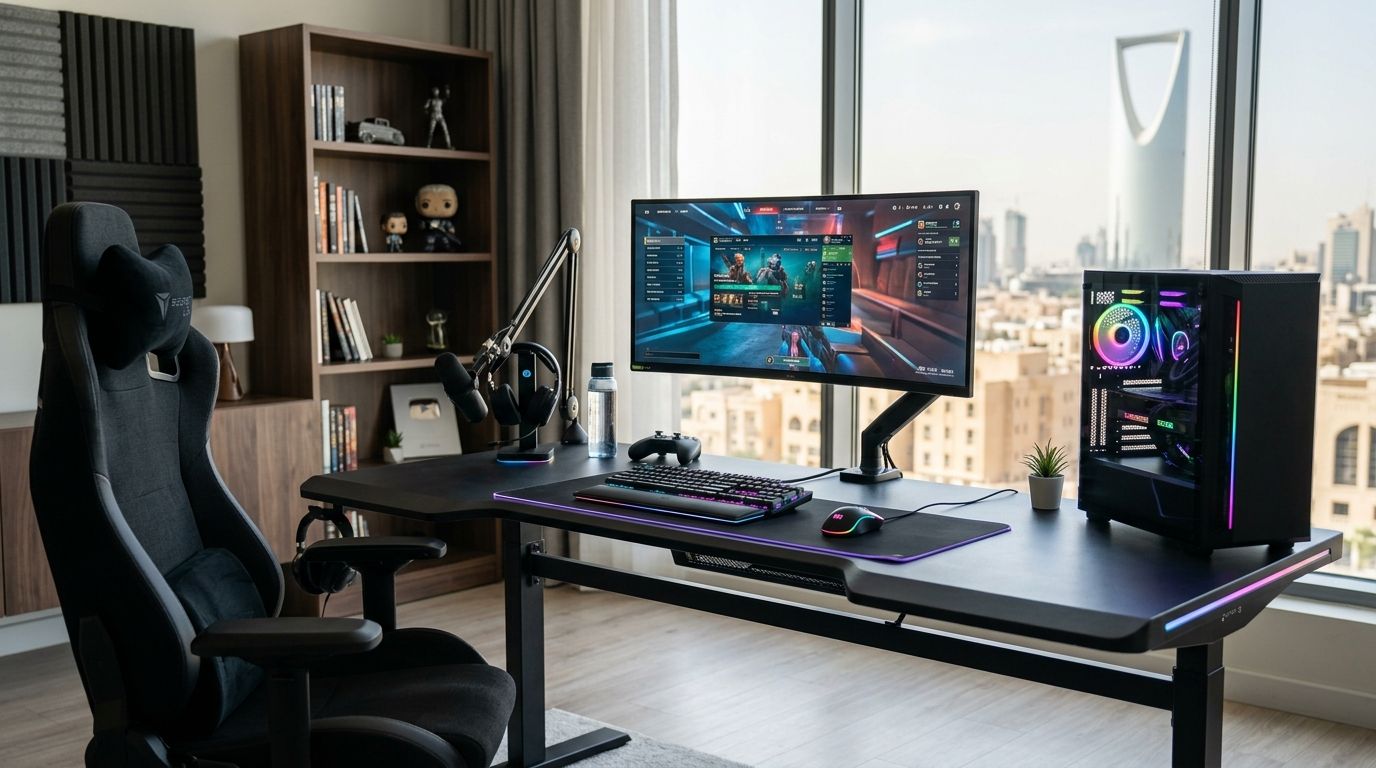
Choosing the right gaming desk in Saudi Arabia in 2026 comes down to three things: how many monitors you're running, how much floor space you have, and whether you sit or stand through long sessions. This guide ranks gaming desk types by use case so you can match the desk to your setup instead of guessing.
- L-shaped corner gaming desk wins overall for dual-monitor and streaming setups in 2026.
- Compact single desks suit small Riyadh and Jeddah apartments where floor space is limited.
- Electric standing desks adjust roughly 60-120 cm and fit gamers who sit for 6+ hours daily.
- Cable-management desks with grommets and trays keep PC builds and peripherals organized.
- A gaming desk only pays off when it's paired with a chair and monitor setup that match your height.
Why this matters
A gaming desk is not just a table — it's the surface that determines whether your monitor sits at eye level, whether your GPU tower has airflow room underneath, and whether your wrists stay flat on the keyboard. Get the depth wrong and a 27-inch or 32-inch monitor sits too close to your face. Get the height wrong and you're hunching by hour two.
Most buyers in Saudi Arabia shop desks and PCs separately, then realize the desk can't fit the tower, the monitor arm, or a second screen. Sorting desk types by use case before you buy avoids that. If you're building a full setup, pair the desk decision with your gaming PC choice first — desk depth and cable routing depend on tower size.
Best overall: L-shaped corner gaming desk. Best for small rooms: compact single desk. Best for standing gamers: electric standing desk. Best budget option: basic writing-style desk. Best for multi-monitor setups: large flat desk with monitor arm mounts. Best for cable management: desk with built-in cable trays and grommets.
What makes the best gaming desk
- Depth of at least 60 cm — anything shallower pushes monitors too close for comfortable viewing distance.
- Weight capacity that covers tower, monitors, and peripherals without sag over time.
- Cable routing — grommet holes, under-desk trays, or a rear channel to hide PSU and monitor cables.
- Height suited to your chair — standard desk height sits around 71-76 cm; anything outside that range needs an adjustable chair or a standing option.
- VESA-compatible surface or clamp mount for monitor arms, since most 27-32 inch gaming monitors ship with VESA 100x100mm mounting patterns.
- Frame stability — steel-leg frames resist wobble under mechanical keyboard use far better than particleboard-only builds.
Gaming desks at a glance
| Desk type | Best for | Standout feature | Key limitation |
|---|---|---|---|
| L-shaped corner desk | Dual-monitor and streaming setups | Two work surfaces, one for PC one for peripherals | Needs a corner and roughly 1.4m of wall space |
| Compact single desk | Small apartments | Fits in under 1m of width | No room for a second monitor arm |
| Electric standing desk | Long daily sessions | Adjusts sitting to standing height | Costs more to run electric motors long-term |
| Basic writing-style desk | Budget builds | Simple frame, easy to assemble | No cable management or monitor mount points |
| Large flat desk (140cm+) | Multi-monitor and dual-PC setups | Enough surface for 3 monitors plus a tower | Takes up significant floor space |
| Cable-management desk | Keeping a clean setup | Built-in grommets and under-desk trays | Usually costs more than a basic frame of the same size |
1. L-shaped corner desk: best gaming desk for dual-monitor setups
An L-shaped desk gives you a primary surface facing your main monitor and a second wing for a controller station, notebook, or streaming gear. It's the shape most serious setups in 2026 default to because it solves the space problem without forcing you into a bigger room.
L-shaped corner desk pros:
- Two usable surfaces from one footprint
- Enough width for a 27-32 inch monitor plus a side monitor or webcam arm
- Corner placement frees up the rest of the room
L-shaped corner desk cons:
- Needs a genuine corner — doesn't work against a flat wall
- Harder to reposition once cables are routed
Best for: gamers running two monitors or a monitor plus a laptop dock. Verdict: Buy if you have a corner and run more than one screen.
2. Compact single desk: best gaming desk for small rooms
A compact desk under 1 meter wide fits studio apartments and shared rooms common across Riyadh and Jeddah rentals. It sacrifices surface area but keeps the footprint tight enough to still walk around the room.
Compact single desk pros:
- Fits tight bedrooms and shared spaces
- Lighter, easier to move during a room rearrange
- Cheaper frames generally exist at this size
Compact single desk cons:
- One monitor only — a second screen won't fit without an arm extension
- Limited room for a full-tower PC alongside the keyboard and mouse
Best for: single-monitor setups in small rooms. Verdict: Buy if space, not multi-monitor ambition, is the constraint.
3. Electric standing desk: best gaming desk for long sessions
Standing desks with electric motors typically adjust across a range of roughly 60 cm to 120 cm, letting you move from a seated to a standing position without swapping furniture. For gamers who also work at the same desk during the day, this cuts down on the stiffness that comes from six-plus hours in one position.
Electric standing desk pros:
- Reduces time spent in one static posture
- Works for both gaming sessions and daytime desk work
- Motorized height memory on most models saves preset positions
Electric standing desk cons:
- Adds ongoing power draw for the motor
- Heavier frames make repositioning harder than a fixed desk
Best for: gamers who also use the desk for work and sit 6+ hours a day. Verdict: Buy if you split time between gaming and desk work.
4. Basic writing-style desk: best gaming desk on a budget
A plain writing desk with a fixed frame is the cheapest entry point into a dedicated gaming setup. It won't have cable trays or a monitor mount point, but it holds a monitor, keyboard, and mouse without issue.
Basic writing-style desk pros:
- Lowest cost of the six desk types here
- Simple assembly, usually under 30 minutes
- Works fine for single-monitor, single-PC setups
Basic writing-style desk cons:
- No cable management — expect visible cords
- No VESA clamp compatibility for a monitor arm
- Fixed height only
Best for: first-time PC gamers building a setup on a tight budget. Verdict: Buy as a starter desk, Skip if you already know you'll add a second monitor.
5. Large flat desk (140cm+): best gaming desk for multi-monitor setups
A desk 140 cm or wider gives you room for three monitors side by side, or two monitors plus a full-tower PC on the surface instead of the floor. This is the desk type serious sim racing and flight sim setups gravitate toward, since triple-monitor bezels need every centimeter of width.
Large flat desk pros:
- Enough width for three 24-27 inch monitors
- Room to keep the tower on the desk for shorter cable runs
- Usually deep enough (75-80 cm) for dual monitor arms
Large flat desk cons:
- Needs a dedicated room — doesn't fit small bedrooms
- Heavier and harder to move once assembled
Best for: triple-monitor and dual-PC setups. Check gaming monitor options before sizing the desk, since panel width and bezel count drive the surface width you actually need. Verdict: Buy if your setup already includes or is heading toward three screens.
6. Cable-management desk: best gaming desk for a clean setup
Desks built with grommet holes, rear cable channels, and under-desk trays keep PSU cables, monitor cables, and peripheral wires out of sight. This matters more as builds add RGB lighting strips and multiple peripherals that each need their own cable run.
Cable-management desk pros:
- Grommet holes route cables straight down instead of across the surface
- Under-desk trays hide power strips and cable splitters
- Keeps airflow around the tower clearer when cables aren't bunched
Cable-management desk cons:
- Costs more than a basic frame of the same size
- Cable channels only help if you actually route cables through them during setup
Best for: builds with multiple peripherals, RGB components, or a visible PC case. Verdict: Buy if a clean desk setup matters as much as function.
How this list was ranked
Each desk type was scored against the six criteria above: depth, weight capacity, cable routing, height fit, VESA/mount compatibility, and frame stability. No two entries share a "best for" slot — the list is built as a decision tree by room size and monitor count, not a single leaderboard where one desk beats all the others.
“The desk only works if it matches the monitor count you actually run, not the one you plan to add someday.”
Which gaming desk should you choose?
If you're undecided, default to the L-shaped corner desk — it covers the widest range of setups from single monitor to dual monitor plus streaming gear, and it scales better than a compact desk if you add a second screen later in 2026. If your room genuinely can't fit a corner desk, drop to the compact single desk instead of forcing an L-shape into a space that doesn't have it.
Once the desk is settled, the chair matters just as much for long sessions — check gaming chair options built for multi-hour use, and if you're above average height, the tall gamer chair guide covers seat depth and backrest height separately from desk height.
Build the rest of your setup
Browse gaming PCs and components sized to fit your new desk.
FAQ
What's the best gaming desk for a small room in Saudi Arabia?
A compact single desk under 1 meter wide is the best gaming desk for small rooms in 2026 — it fits studio apartments and shared rooms without crowding the space. It only supports one monitor comfortably, so it's not the right pick if you plan to add a second screen.
Is an L-shaped desk better than a straight desk for gaming?
An L-shaped desk is better for dual-monitor or streaming setups because it adds a second usable surface from the same footprint. A straight desk is simpler and cheaper but limits you to one monitor and one work zone.
How tall should a gaming desk be?
Standard desk height sits around 71-76 cm, which fits most adjustable gaming chairs. If you're above average height or want flexibility, an electric standing desk adjusting roughly 60-120 cm solves the fit problem entirely.
Do I need a standing desk for gaming?
Not unless you sit at the same desk for work during the day too. A standing desk pays off most for people combining long work hours with evening gaming sessions, not for gaming alone.
What desk size do I need for three monitors?
A desk at least 140 cm wide and 75-80 cm deep fits three 24-27 inch monitors side by side with room for a monitor arm mount. Anything narrower forces you to angle the outer screens too sharply.
Does a gaming desk need cable management features?
It's not required, but grommet holes and under-desk trays keep PSU and peripheral cables out of the way, especially in builds with RGB components and multiple peripherals. Basic desks work fine if you don't mind visible cables.
Can a gaming desk hold a full-tower PC on top of it?
A large flat desk 140 cm or wider with a rated weight capacity can hold a full-tower case, but most setups place the tower on the floor and use the desk surface for monitors and peripherals instead.
One last thing
The desk decision most people get wrong isn't size — it's ordering it before the monitor. A 32-inch curved monitor needs roughly 15-20 cm more desk depth than a 24-inch flat panel to sit at a comfortable viewing distance in 2026, so pick the monitor first, then size the desk around it, not the other way around.


