
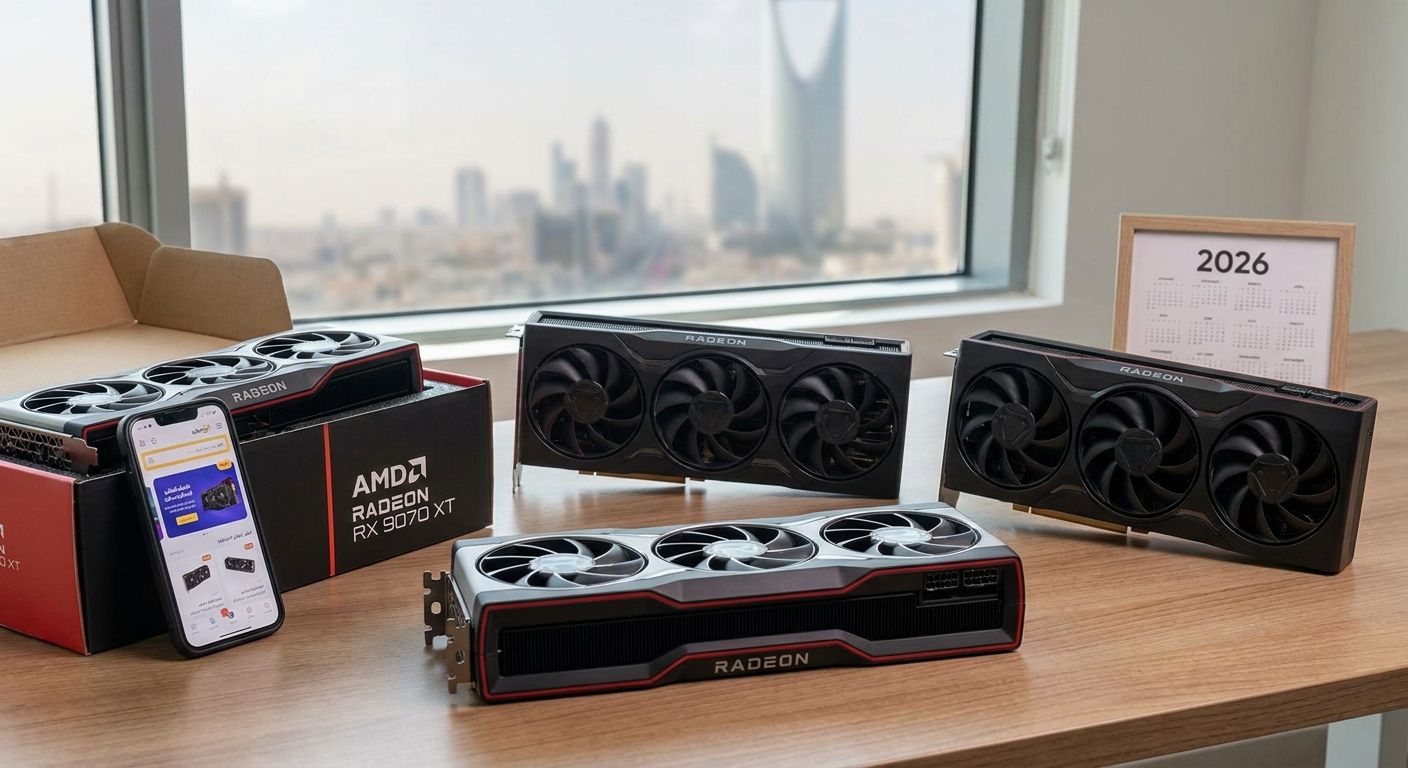
The AMD RX 9070 XT is AMD's RDNA4 flagship for 1440p and 4K gaming, and by 2026 six add-in-board partners sell their own version of the same GPU die. The differences between them come down to cooling, board build, and clock behavior, not the chip itself.
- Sapphire Nitro+ RX 9070 XT is the best overall pick for 1440p and 4K builds in 2026.
- ASUS TUF Gaming RX 9070 XT wins on long-term build durability for daily-use rigs.
- PowerColor Hellhound RX 9070 XT is the leanest partner card without premium extras.
- Every RX 9070 XT card ships with 16GB GDDR6 on a 256-bit bus regardless of brand.
Why this matters
Every RX 9070 XT card runs the same RDNA4 die with 16GB of GDDR6 on a 256-bit bus, so the partner brand does not change your frame rate ceiling. It changes noise under load, how the card behaves after two years of dust buildup, and whether it fits your case at all. AMD built the RX 9070 XT to compete against Nvidia's RTX 5070 Ti tier at 1440p and push into 4K with upscaling, which means the card is a serious investment either way in 2026.
In Saudi Arabia specifically, warranty support matters more than spec sheets. A card bought through a local retailer like Gamerzone gets RMA handling without shipping a graphics card overseas, which is worth factoring in before you chase the cheapest import listing.
What makes the best RX 9070 XT graphics card
- Cooling design — fan count and heatsink mass decide whether the card throttles during long sessions.
- Factory clocks and dual BIOS — a quiet-mode/performance-mode switch matters more than raw boost clock on paper.
- Board build quality — VRM stage count and backplate rigidity prevent GPU sag over time.
- Case compatibility — RX 9070 XT cards run long and triple-slot thick; measure your case before ordering.
- Power connector type — native 12V-2x6 versus a bundled 8-pin adapter affects cable management.
- Local warranty support — RMA turnaround in Saudi Arabia beats chasing an overseas seller.
RX 9070 XT cards at a glance
| Card | Best for | Standout feature | Key limitation |
|---|---|---|---|
| Sapphire Nitro+ RX 9070 XT | Overall 1440p/4K build | Dual BIOS quiet/performance switch | Large triple-slot footprint |
| ASUS TUF Gaming RX 9070 XT | Long-term durability | Reinforced PCB and thick heatsink | Minimal RGB, bulky shroud |
| PowerColor Hellhound RX 9070 XT | Lean, no-frills build | Dual-fan design in a shorter card | Fewer premium extras than flagship SKUs |
| XFX Swift RX 9070 XT | Silent gaming rigs | Oversized heatsink for low fan speed | Limited retail availability in KSA |
| Gigabyte Gaming OC RX 9070 XT | RGB-focused case builds | Addressable RGB fan ring | RGB software less polished than rivals |
| MSI Gaming Trio RX 9070 XT | Overclocking headroom | Higher factory boost clock, dual BIOS | Higher power draw, heavier card |
1. Sapphire Nitro+ RX 9070 XT: best RX 9070 XT for 1440p and 4K gaming
Sapphire's Nitro+ line has carried the brand's flagship cooling design across multiple AMD generations, and the RX 9070 XT version continues that with a triple-fan open-air cooler and a dual BIOS switch. Flip to quiet mode for everyday use, flip to performance mode when you need every bit of headroom for 4K.
Sapphire Nitro+ RX 9070 XT pros:
- Triple-fan cooler keeps thermals in check under sustained load
- Dual BIOS gives you a genuine quiet-mode option
- Reinforced backplate reduces PCB flex over time
Sapphire Nitro+ RX 9070 XT cons:
- Large triple-slot card needs a full-size mid-tower or bigger
- Premium cooling adds weight, so a support bracket is worth using
Best for: buyers who want one card that handles both 1440p high refresh rate and 4K without compromise. Verdict: Buy.
2. ASUS TUF Gaming RX 9070 XT: best RX 9070 XT for long-term durability
ASUS built the TUF Gaming line around component testing and a reinforced frame, and the RX 9070 XT carries the same thick triple-fan shroud and stiffened PCB. It is the card to pick if you plan to keep the same build running for years without opening the case.
ASUS TUF Gaming RX 9070 XT pros:
- Reinforced PCB resists sag in horizontal case orientations
- Thick heatsink handles dust buildup better over multi-year use
- Straightforward BIOS behavior with no gimmicks
ASUS TUF Gaming RX 9070 XT cons:
- Minimal RGB compared to Gigabyte and MSI options
- Bulky shroud, similar clearance concerns to the Sapphire card
Best for: gamers who value a card that survives years of daily use over one built for aesthetics. Verdict: Buy.
3. PowerColor Hellhound RX 9070 XT: best RX 9070 XT without premium extras
PowerColor's Hellhound sits below its Red Devil flagship, running a dual-fan cooler on a shorter PCB than the Nitro+ or TUF Gaming cards. It skips the extras and focuses on getting the RX 9070 XT running reliably in a smaller footprint.
PowerColor Hellhound RX 9070 XT pros:
- Shorter card fits more mid-tower cases without clearance issues
- Dual-fan design keeps the card lighter than triple-fan rivals
- No unnecessary software layer running in the background
PowerColor Hellhound RX 9070 XT cons:
- Cooling headroom is thinner than triple-fan competitors under load
- Fewer premium touches like backplate reinforcement
Best for: builders who want the RX 9070 XT in a compact case without paying for extras they will not use. Verdict: Buy.
4. XFX Swift RX 9070 XT: best RX 9070 XT for silent gaming
XFX's Swift line has historically leaned into oversized heatsinks that let fans spin slower for the same thermal result, and the RX 9070 XT version follows that pattern. It is a quieter operator at idle and moderate load than most triple-fan alternatives.
XFX Swift RX 9070 XT pros:
- Larger heatsink surface area lets fans run at lower RPM
- Noticeably quieter at idle and during light gaming sessions
XFX Swift RX 9070 XT cons:
- Retail stock in Saudi Arabia is less consistent than Sapphire or ASUS
- Fewer factory overclock options versus MSI or Sapphire
Best for: anyone building a home-office rig where fan noise under a desk actually matters. Verdict: Hold — worth checking local stock before committing.
5. Gigabyte Gaming OC RX 9070 XT: best RX 9070 XT for RGB case builds
Gigabyte's Gaming OC line pairs a triple-fan cooler with an addressable RGB fan ring, aimed squarely at builders using a glass side panel. Performance sits in line with other mid-tier partner cards, with RGB as the differentiator.
Gigabyte Gaming OC RX 9070 XT pros:
- Addressable RGB fan ring syncs with most motherboard ecosystems
- Triple-fan cooler keeps pace with other mid-tier partner cards
Gigabyte Gaming OC RX 9070 XT cons:
- Gigabyte's control software is less refined than ASUS or MSI equivalents
- RGB adds cost without adding thermal or clock benefit
Best for: case builds where visual presentation through a glass panel matters as much as raw output. Verdict: Hold.
6. MSI Gaming Trio RX 9070 XT: best RX 9070 XT for overclocking headroom
MSI's Gaming Trio has traditionally run higher factory boost clocks than the reference RX 9070 XT design, backed by a triple-fan cooler and dual BIOS. It draws more power than the leaner options on this list, which is the tradeoff for the extra clock headroom.
MSI Gaming Trio RX 9070 XT pros:
- Higher factory boost clock out of the box
- Dual BIOS gives a fallback quiet mode
MSI Gaming Trio RX 9070 XT cons:
- Higher power draw means a beefier PSU is worth budgeting for
- Heaviest card on this list, needs a support bracket
Best for: overclockers chasing the last bit of headroom out of the RX 9070 XT. Verdict: Buy — if your PSU and case both check out first.
How we ranked these
Each RX 9070 XT card was weighed against the same six criteria: cooling design, factory clocks with dual BIOS, board build quality, case compatibility, connector type, and local warranty support in Saudi Arabia. No card wins every category, which is why the list splits by use case instead of stacking one winner over the rest.
Which RX 9070 XT should you choose?
If you want one card that handles 1440p and 4K without a second thought, the Sapphire Nitro+ RX 9070 XT is the default pick for 2026. Pick the ASUS TUF Gaming version if your build needs to run untouched for years, and go PowerColor Hellhound if case space is tight and you do not need extra cooling headroom. If you are pairing the card into a full system rather than a standalone upgrade, compare it against the best gaming PCs in Saudi Arabia before deciding, and if 4K is the goal, weigh it against RTX 5090 gaming PCs to see whether the price jump is worth it for your resolution.
FAQ
What is the best RX 9070 XT graphics card in 2026?
The Sapphire Nitro+ RX 9070 XT is the best overall pick in 2026 thanks to its dual BIOS quiet/performance switch and triple-fan cooler. For tighter cases, the PowerColor Hellhound RX 9070 XT is the leaner alternative.
How much VRAM does the RX 9070 XT have?
Every RX 9070 XT card ships with 16GB of GDDR6 memory on a 256-bit bus, regardless of which AIB partner made it. The memory configuration does not change between brands.
Is the RX 9070 XT good for 4K gaming?
Yes, the RX 9070 XT handles 4K gaming with upscaling enabled on most current titles. For native 4K at maximum settings, a higher tier like the RTX 5090 still pulls ahead.
Is the RX 9070 XT better than the RTX 5070 Ti?
The RX 9070 XT is positioned to compete directly with Nvidia's RTX 5070 Ti tier at 1440p and 4K. Which one wins depends more on the game and upscaling tech you use than raw hardware.
Which RX 9070 XT card runs the quietest?
The XFX Swift RX 9070 XT uses an oversized heatsink that lets its fans spin slower for the same thermal result, making it the quietest option among common partner cards in 2026.
Do all RX 9070 XT cards need the same power connector?
No. Some partner cards use a native 12V-2x6 connector while others bundle an 8-pin adapter. Check the card's connector type against your power supply's included cables before buying.
Which RX 9070 XT card fits a compact case?
The PowerColor Hellhound RX 9070 XT runs a shorter PCB than triple-fan flagship cards, making it the easiest fit for smaller mid-tower cases in 2026.
One last thing
The RX 9070 XT's memory and bus width never change between partner cards, so do not pay extra for a brand name expecting more VRAM. The money you spend on a premium AIB version goes entirely into cooling, board reinforcement, and dual BIOS flexibility — pick based on which of those three actually matters for your build in 2026.


