
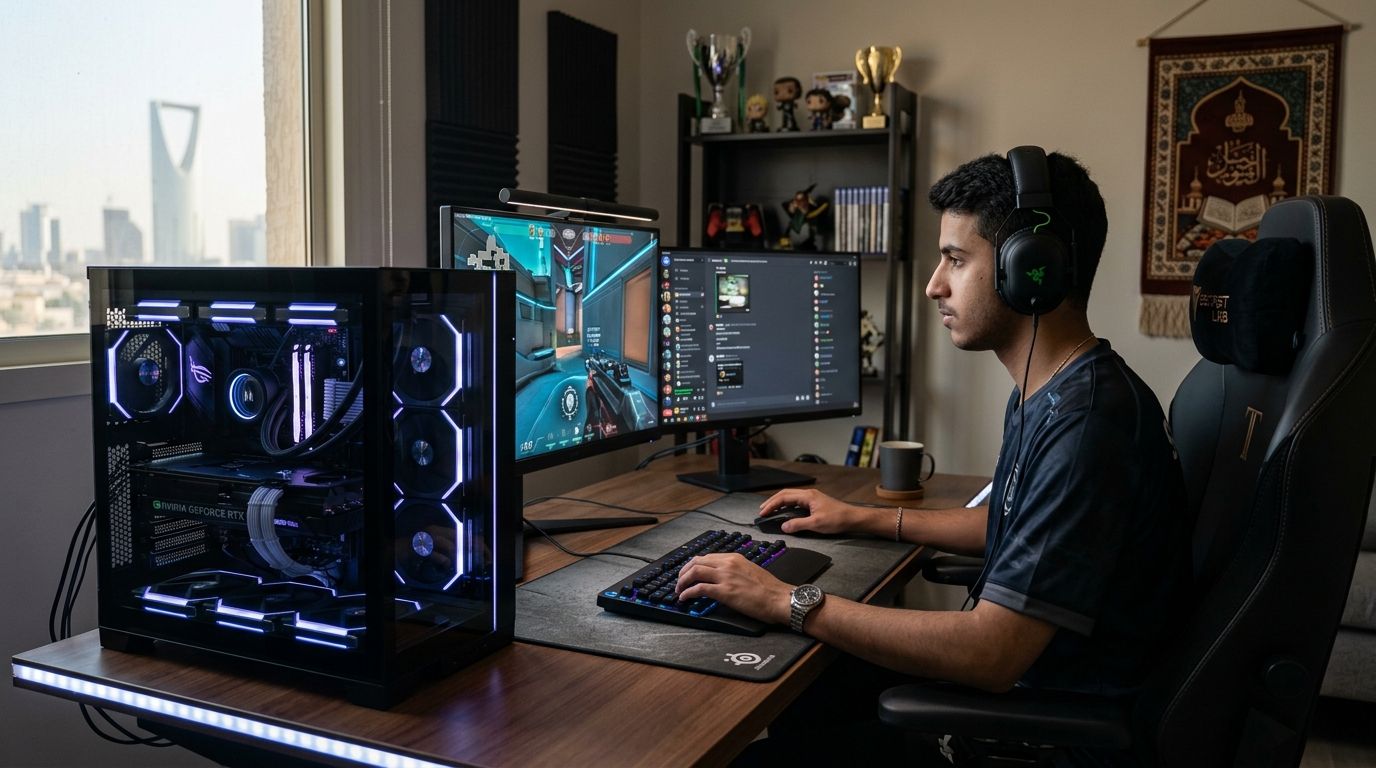
Best overall gaming PC for esports in Saudi Arabia in 2026: the Gamerzone Esports Overall Build, tuned to hold 144fps+ in CS2, Valorant, and Dota 2 without overspending on GPU power those titles never use. Best budget option: the Gamerzone Budget Esports Build. Best for LAN tournaments and travel: the Gamerzone Compact LAN Build. Browse the full range of Gamerzone custom and pre-built gaming PCs before locking in a tier.
- The best gaming PC for esports in Saudi Arabia in 2026 is a mid-tier GPU build tuned for 144Hz+, not a 4K flagship.
- The Gamerzone Budget Esports Build clears CS2 and Valorant ranked play without RTX 5080-class spending.
- LAN players should weigh the Compact LAN Build's case and portability over raw GPU horsepower.
- Streamers who compete need dual-duty power — an RTX 5080/5090-class build handles encoding and frame rate together.
Why this matters
Esports titles behave differently than AAA games. CS2, Valorant, and Dota 2 run light on the GPU and heavy on CPU clock speed and frame consistency, so a gaming pc for esports doesn't need the same GPU tier as a 4K single-player build. Spending on an RTX 5090-class card for a game capped at 1080p competitive settings is money the frame counter never sees.
That's the mistake most first-time buyers make in 2026: they shop by GPU benchmark charts built for AAA titles, then wonder why their 1% lows still stutter during a ranked match. Competitive FPS players trade GPU horsepower for frame rate every time — a 4K flagship card is largely wasted on a 1080p ranked lobby.
What makes the best gaming PC for esports
- CPU single-core clock speed and cache — esports titles are CPU-bound at high refresh rates, not GPU-bound
- GPU tier matched to target frame rate, not maxed out for 4K resolution
- 32GB DDR5 RAM headroom for Discord, OBS, and browser overlays running alongside the game
- NVMe SSD storage for fast map loads and quick alt-tabbing between game and stream tools
- Cooling built for sustained clocks, not just peak burst, across 3+ hour ranked sessions
- Refresh-rate compatibility — enough frames to actually feed a 144Hz or 240Hz monitor
Gaming PCs for esports in Saudi Arabia — at a glance
| Build | Best for | Standout feature | Key limitation |
|---|---|---|---|
| Gamerzone Esports Overall Build | Competitive play across CS2, Valorant, Dota 2 | Balanced CPU/GPU pairing tuned for 144Hz+ | Not built for 4K single-player AAA titles |
| Gamerzone Budget Esports Build | First competitive rig on a tight budget | Lowest entry cost into ranked play | RAM/storage are the first bottleneck under streaming load |
| Gamerzone Compact LAN Build | LAN tournaments and travel | Small-form-factor case built to carry | Tighter airflow than a full tower |
| Gamerzone High-Refresh Competitive Build | 240Hz FPS grinding | GPU tier built to sustain 240fps+ | Diminishing returns past 240Hz for most players |
| Gamerzone Streaming + Competing Build | Playing and streaming at once | Encoding headroom alongside game rendering | Highest power draw and cooling need on this list |
| Gamerzone 4K Hybrid Build | Esports plus AAA single-player | Handles both competitive and cinematic titles | Overkill if esports is your only use case |
1. Gamerzone Esports Overall Build: best gaming PC for esports for ranked players
Pairs a mid-tier GPU with a high-clock CPU so frame rates stay above 144fps in the titles Saudi ranked ladders actually run — CS2, Valorant, Dota 2. It's the tier most competitive players land on in 2026 because it doesn't overspend on GPU horsepower those games won't use, and it's covered in best gaming PCs in Saudi Arabia if you want the broader lineup.
Gamerzone Esports Overall Build pros:
- Holds 144fps+ in CS2, Valorant, and Dota 2 at 1080p and 1440p
- Balanced CPU/GPU pairing avoids bottlenecking either component
- Enough headroom for Discord, OBS, and browser overlays in the background
Gamerzone Esports Overall Build cons:
- Not tuned for 4K or ray-traced AAA titles
- GPU tier sits a step below what serious streamers need for simultaneous encoding
Best for: competitive ranked players who want one machine for CS2, Valorant, and Dota 2. Verdict: Buy.
2. Gamerzone Budget Esports Build: best gaming PC for esports for first-time competitive builders
Strips spending down to the CPU and GPU pairing that actually moves frame rate in esports titles, skipping the storage excess a heavier AAA build carries. Check the wider budget gaming PCs lineup if you're comparing entry tiers.
Gamerzone Budget Esports Build pros:
- Lowest entry cost into competitive PC gaming
- Still clears 144Hz in CS2 and Valorant
- Upgrade path stays open for a later GPU swap
Gamerzone Budget Esports Build cons:
- RAM and storage become the first bottleneck once streaming software runs alongside the game
- Not enough GPU headroom for Dota 2 at max settings during large team fights
Best for: players building their first competitive rig on a tight budget. Verdict: Buy if ranked play, not streaming, is the priority.
3. Gamerzone Compact LAN Build: best gaming PC for esports for tournament travel
Built around a small-form-factor case that survives being packed between tournament venues, without giving up the CPU clock speed competitive play needs. The mini-ITX gaming PCs category covers this tier in more depth.
Gamerzone Compact LAN Build pros:
- Fits in a backpack-sized case for LAN travel
- Handle and cable routing built for repeated transport
- Still hits 144Hz+ in FPS titles
Gamerzone Compact LAN Build cons:
- Tighter case airflow raises thermal throttling risk during back-to-back matches
- Upgrading the GPU later is more constrained than in a full tower
Best for: players who compete at LAN events or travel between gaming houses. Verdict: Buy if you compete offline; skip if your PC never leaves the desk.
4. Gamerzone High-Refresh Competitive Build: best gaming PC for esports for 240Hz FPS grinding
Steps the GPU tier up specifically to feed a 240Hz or higher monitor in CS2 and Valorant, where every extra frame narrows the gap between reaction time and input lag.
Gamerzone High-Refresh Competitive Build pros:
- Sustains 240fps+ in the lightest esports titles
- CPU headroom keeps 1% lows stable during firefights
- Pairs well with a 240Hz+ gaming monitor
Gamerzone High-Refresh Competitive Build cons:
- The cost jump doesn't help in CPU-bound titles like Dota 2
- Diminishing returns past 240Hz for most human reaction times
Best for: FPS players chasing every frame on a 240Hz+ panel. Verdict: Buy if you already own or plan to buy a 240Hz monitor.
5. Gamerzone Streaming + Competing Build: best gaming PC for esports for dual-duty players
Adds GPU and CPU headroom so encoding a stream doesn't steal frames from the game itself — the failure point of most first-time streamers in 2026.
Gamerzone Streaming + Competing Build pros:
- Handles simultaneous game rendering and stream encoding
- Enough cache and clock speed to avoid frame drops when OBS is running
- Scales into 1440p streaming setups
Gamerzone Streaming + Competing Build cons:
- Highest power draw and cooling requirement on this list
- Overkill if you never plan to stream competitively
Best for: players building an audience while they climb the ranked ladder. Verdict: Buy if streaming growth is a goal, not just ranked points.
6. Gamerzone 4K Hybrid Build: best gaming PC for esports and AAA hybrid use
The only tier on this list built to handle 4K and ray tracing as well as esports frame rates, at the cost of GPU spending most competitive titles never touch.
Gamerzone 4K Hybrid Build pros:
- Covers 4K AAA gaming as well as esports titles
- Longest useful lifespan before a GPU upgrade is needed
- Handles the heaviest streaming workloads too
Gamerzone 4K Hybrid Build cons:
- Esports titles won't use most of this GPU tier's power
- Hardest tier to justify if ranked play is the only use case
Best for: gamers who split time between competitive esports and cinematic single-player titles. Verdict: Hold if esports is your only use case; Buy if you split time between genres.
How we ranked these gaming PCs
Each tier is scored against the six criteria above, in order: CPU clock speed for esports titles first, GPU tier matched to realistic frame-rate targets second, then RAM, storage, cooling, and monitor compatibility. A build that wins on GPU power but loses on CPU clock speed drops in the ranking every time, because that's exactly where esports frame rates fall apart in 2026 ranked play.
“Competitive FPS players trade GPU horsepower for frame rate every time — a 4K flagship card is largely wasted on a 1080p ranked lobby.”
Which gaming PC should you choose?
For most Saudi competitive players in 2026, the Gamerzone Esports Overall Build stays the default pick — it clears 144Hz in CS2, Valorant, and Dota 2 without paying for GPU power those titles ignore. Drop to the Gamerzone Budget Esports Build if the budget is tight and streaming isn't part of the plan yet. Step up to the Gamerzone Streaming + Competing Build only once an audience, not just a rank, is the goal.
Compare esports gaming PC tiers
See current custom and pre-built configurations before you buy.
FAQ
What's the best gaming PC for esports in Saudi Arabia in 2026?
The Gamerzone Esports Overall Build is the best gaming PC for esports for most players in 2026, because it balances CPU clock speed and GPU tier for 144Hz+ frame rates in CS2, Valorant, and Dota 2 instead of overspending on GPU power those titles don't use.
Do I need an RTX 5090-class GPU to play CS2 or Valorant competitively?
No — CS2 and Valorant are CPU-bound at competitive settings, so a mid-tier GPU paired with a high-clock CPU outperforms an RTX 5090-class card that's mostly idle at 1080p.
Is a 240Hz monitor worth pairing with an esports gaming PC?
Yes, if the build can sustain 240fps+ in lightweight titles like CS2 and Valorant; pairing a 240Hz panel with a GPU that can't hit that frame rate wastes the monitor's refresh rate.
How much RAM does a gaming PC need for esports in 2026?
32GB of DDR5 covers the game plus Discord, OBS, and browser overlays running in the background without frame drops; 16GB works for ranked play alone but leaves no overlay headroom.
Can I stream and compete on the same gaming PC?
Yes, but only on a build with GPU and CPU headroom set aside for encoding — the Gamerzone Streaming + Competing Build is built for that dual load, unlike the budget or LAN tiers.
Is a mini-ITX gaming PC good enough for esports?
Yes for CS2, Valorant, and similar lightweight titles, as long as the case supports enough airflow to hold clock speeds during long ranked sessions; it's the right tradeoff for LAN travel.
What's the difference between a gaming PC for esports and a 4K gaming PC?
An esports build prioritizes CPU clock speed and frame-rate consistency at 1080p or 1440p, while a 4K gaming PC spends most of its budget on GPU power for resolution and ray tracing that esports titles rarely use.
How often should I upgrade an esports gaming PC?
Most competitive builds stay relevant for 3-4 years before a GPU or CPU swap is needed, since esports titles are optimized to run on modest hardware long after AAA games move past it.
One last thing
Most competitive players in Saudi Arabia still run 1080p on a high-refresh monitor even when their gaming PC can push 1440p or 4K — frame rate beats resolution in ranked play, every time. If your build can already hold 240fps+ at 1080p, spending more on GPU power moves the needle less than spending on a faster monitor or a tighter mouse setup.


