
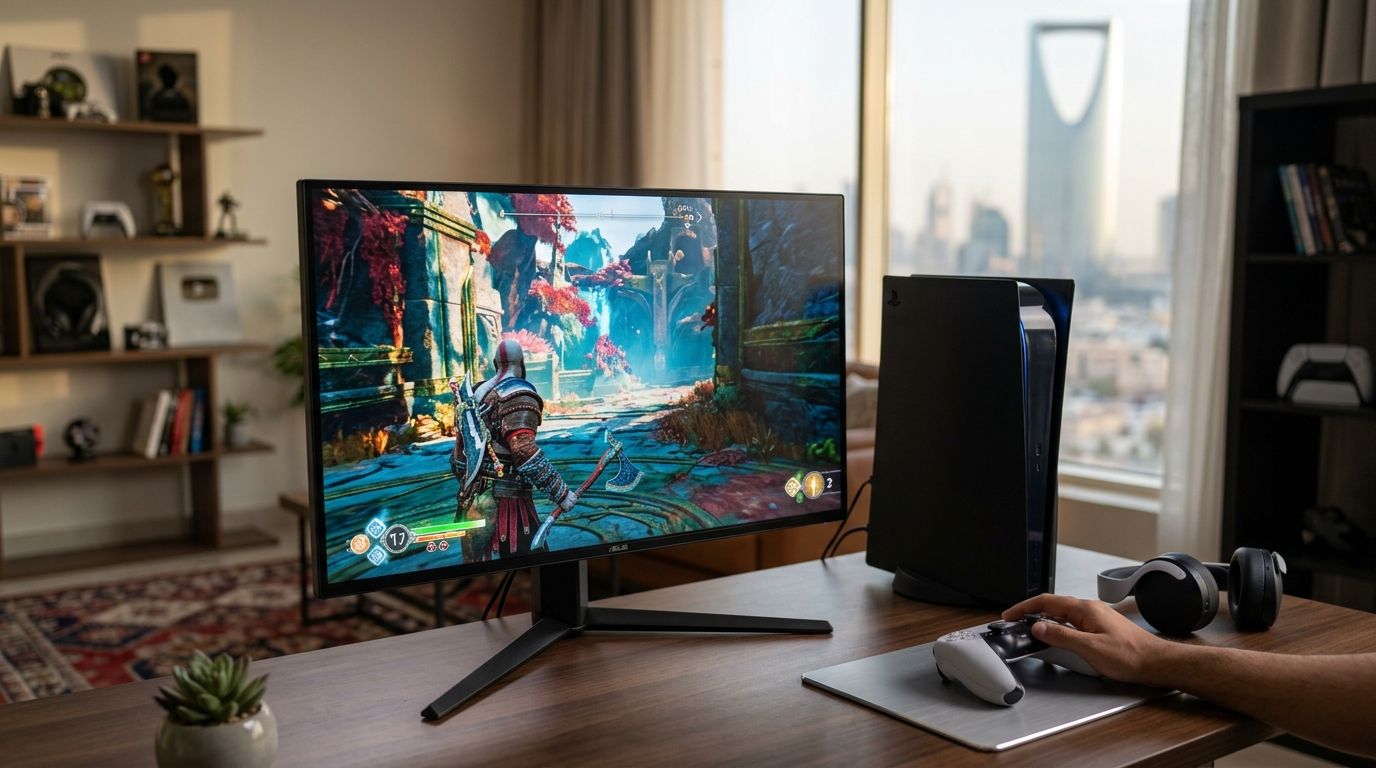
A gaming monitor for PS5 only earns the label in 2026 if it runs a real HDMI 2.1 port, outputs native 4K at 120Hz, and supports Variable Refresh Rate — everything else is a TV or monitor wearing a PS5 sticker. This guide ranks five monitor categories against those PS5-specific specs and tells you which one fits your setup.
- 4K 120Hz HDMI 2.1 monitors are the best gaming monitor for PS5 for most owners in 2026 — full native resolution and frame rate.
- 1440p 165Hz monitors suit players splitting time between PS5 and a gaming PC.
- OLED gaming monitors give the deepest black levels for PS5 HDR titles but risk burn-in with static HUDs.
- 1080p 144Hz monitors are the budget pick when a 4K panel is out of reach.
- 240Hz monitors add zero PS5 benefit — the console output caps at 120Hz.
Why this matters
Sony's PS5 outputs up to 2160p (4K) at 120Hz and supports VRR, but only over a full-bandwidth HDMI 2.1 connection — a monitor with an "HDMI 2.1" label and a cut-down chipset behind it will still bottleneck to 60Hz or 4K30 in real use. This is the single most common spam pattern in monitor retail right now: a port name printed on the box that doesn't match the bandwidth inside it.
If you're shopping for a screen to pair with a console, check PlayStation 5 bundles first to confirm which PS5 model you have — the Digital Edition and standard model both ship the same HDMI 2.1 output, so the monitor requirement doesn't change between them.
The five categories below cover every realistic PS5 use case in 2026: pure console gaming, hybrid PC/PS5 setups, HDR-focused viewing, tight budgets, and competitive multiplayer.
What makes the best gaming monitor for PS5
- A real HDMI 2.1 port — 48Gbps of bandwidth, not a relabeled HDMI 2.0 chipset
- Native 4K at 120Hz, or 1440p at 120Hz+ — PS5's 2023 firmware update added 1440p output for monitors that don't do native 4K
- VRR support matched to PS5's range — smooths frame drops in open-world titles without a fixed-refresh judder
- Low input lag in game mode — most 2026 gaming panels run under 10ms in dedicated game mode
- HDR10 with real peak brightness — not just a marketing badge on an SDR panel
- 27 to 32-inch panel size — comfortable for both desk and living-room PS5 setups
Gaming monitors for PS5 at a glance
| Category | Best for | Standout feature | Key limitation |
|---|---|---|---|
| 4K 120Hz HDMI 2.1 monitors | PS5 owners who want full native resolution | Matches PS5's max output exactly | Needs a genuine HDMI 2.1 chipset to hit 120Hz at 4K |
| 1440p 165Hz monitors | Hybrid PS5 + PC gamers | High refresh headroom for PC, 1440p output on PS5 | PS5 can't push past 120Hz even on a 165Hz panel |
| OLED gaming monitors | HDR and contrast on PS5 exclusives | Near-instant pixel response, deep blacks | Static HUD elements risk burn-in over time |
| 1080p 144Hz monitors | Budget PS5 setups | Cheapest way into 120Hz gaming | No native 4K, softer image on large screens |
| 240Hz monitors | PC-first gamers who also own a PS5 | Sub-1ms response for competitive PC titles | PS5 games never use the extra 120Hz of headroom |
1. 4K 120Hz HDMI 2.1 monitors: best gaming monitor for PS5 overall
This category matches the PS5's output ceiling exactly — native 4K resolution at a genuine 120Hz refresh, driven through a real HDMI 2.1 connection. It's the setup Sony's own marketing targets, and it's the only category where the console's hardware and the display's specs are running at parity in 2026.
4K 120Hz monitor pros:
- Full native 4K detail on PS5 exclusives and third-party AAA titles
- 120Hz refresh matches PS5's performance-mode frame rate ceiling
- VRR eliminates screen tearing during frame-rate dips
- Doubles as a capable 4K monitor for PC work when not gaming
4K 120Hz monitor cons:
- Panels claiming "HDMI 2.1" without full 48Gbps bandwidth will bottleneck to 60Hz
- 4K120 in performance mode isn't available in every PS5 title
Best for: PS5 owners who want the console running at its full advertised spec without compromise.
Verdict: Buy.
2. 1440p 165Hz monitors: best for hybrid PS5 and PC gamers
Sony added 1440p output support to PS5 through firmware, which makes this category relevant for anyone who owns both a console and a gaming PC and doesn't want two separate screens. The panel's 165Hz ceiling is wasted on PS5 alone, but it earns its place the moment a PC gets plugged into the second input.
1440p 165Hz monitor pros:
- 1440p output on PS5 looks sharper than upscaled 1080p
- 165Hz refresh serves PC gaming fully, even though PS5 tops out at 120Hz
- Usually cheaper than 4K panels at the same refresh rate
- One screen covers both console and PC without switching monitors
1440p 165Hz monitor cons:
- No native 4K, so PS5's highest-fidelity modes are unavailable
- The extra 45Hz over PS5's 120Hz ceiling only benefits PC games
Best for: Gamers who split screen time between a PS5 and a desktop PC.
Verdict: Buy if you own or plan to build a PC alongside the console.
3. OLED gaming monitors: best for HDR and contrast on PS5
OLED gaming monitors deliver per-pixel brightness control, which shows up directly in PS5 HDR titles as deeper shadow detail and stronger contrast than an LCD panel can produce. Response times on OLED panels also run near-instant, which matters for fast camera pans in action games.
OLED gaming monitor pros:
- Deepest black levels of any panel type on this list
- Near-zero motion blur thanks to instant pixel response
- HDR10 content on PS5 looks noticeably richer than on comparable LCD screens
OLED gaming monitor cons:
- Static HUD elements (health bars, minimaps) risk permanent burn-in with heavy use
- Generally priced above LCD alternatives at the same size
- Peak brightness in SDR content trails top LCD panels
Best for: PS5 owners prioritizing picture quality on HDR-supported titles over raw brightness.
Verdict: Buy if you rotate games regularly and avoid leaving static UI on screen for hours.
4. 1080p 144Hz monitors: best budget option for PS5
This is the entry point for 120Hz gaming without paying for 4K or OLED. PS5 can drive 1080p at up to 120Hz on these panels, and the smoother motion is a real upgrade over a 60Hz TV even if the resolution stays modest.
1080p 144Hz monitor pros:
- Lowest cost path to 120Hz gaming on PS5
- Smaller panels keep pixel density sharp despite the lower resolution
- Widely available with game-mode presets tuned for consoles
1080p 144Hz monitor cons:
- No native 4K, so PS5's highest-resolution modes go unused
- Image looks noticeably softer than 1440p or 4K on screens over 27 inches
Best for: Budget-focused PS5 setups where 120Hz motion matters more than resolution.
Verdict: Buy for tight budgets; Skip if a 4K panel is within reach.
5. 240Hz monitors: best for PC-first gamers who also own a PS5
240Hz panels exist for competitive PC shooters, not consoles. PS5's output caps at 120Hz across every title, so a 240Hz screen never shows a single extra frame from a PS5 game — the refresh rate advantage only activates when a PC is plugged in.
240Hz monitor pros:
- Sub-1ms response times benefit fast-paced PC titles
- Still fully compatible with PS5's 120Hz output, just underutilized
- Often paired with strong motion clarity features for competitive play
240Hz monitor cons:
- Zero measurable benefit on PS5 games beyond what a 120Hz panel already delivers
- Premium pricing tier for refresh headroom a console can't use
Best for: Gamers who game competitively on PC and use the same screen for PS5 on the side.
Verdict: Skip if PS5 is your primary console; Buy if PC gaming is the priority and PS5 is secondary.
“A 240Hz panel doesn't make PS5 games look smoother than a 120Hz panel — the console caps output at 120Hz across every title.”
How we ranked
Each category was measured against the criteria above: real HDMI 2.1 bandwidth, native resolution support matching PS5's output modes, VRR compatibility, input lag in game mode, HDR performance, and panel size fit for both desk and living-room use. Categories that only claim PS5 compatibility without the underlying HDMI 2.1 chipset were excluded from the top spot regardless of other specs.
Which gaming monitor for PS5 should you choose?
For most PS5 owners buying in 2026, a 4K 120Hz HDMI 2.1 monitor is the default pick — it matches the console's full output spec and holds up as a desk monitor afterward. Drop to a 1440p 165Hz panel only if a gaming PC is also part of the plan, and treat OLED as the upgrade path when HDR picture quality matters more than raw brightness. Skip 240Hz entirely if PS5 is the only device connecting to the screen — that refresh headroom stays unused every single time.
Browse gaming monitors at Gamerzone
Check current stock on 4K 120Hz and OLED gaming monitors for PS5 setups.
FAQ
What's the best gaming monitor for PS5 in 2026?
A 4K 120Hz monitor with a genuine HDMI 2.1 port is the best gaming monitor for PS5 in 2026 because it matches the console's full output spec. Panels claiming HDMI 2.1 without the real bandwidth behind it bottleneck to 60Hz.
Does PS5 support 1440p monitors?
Yes, Sony added 1440p output support to PS5 through a firmware update, so 1440p monitors display a sharper image than upscaled 1080p. Native 4K panels still show more detail where the game supports it.
Is a 240Hz monitor worth it for PS5?
No, a 240Hz monitor gives no PS5 benefit since the console caps output at 120Hz across every title. It only pays off if the same screen also runs PC games at higher frame rates.
Do I need HDMI 2.1 for PS5 gaming?
You need a genuine HDMI 2.1 port to unlock 4K at 120Hz and VRR on PS5. A cheaper HDMI 2.0 connection still works but limits the console to 60Hz or lower resolution at high frame rates.
Is OLED or LCD better for PS5?
OLED gaming monitors deliver deeper black levels and near-instant response for PS5 HDR titles, but static HUD elements risk burn-in over time. LCD panels avoid that risk and generally cost less at the same size.
Can PS5 run at 4K and 120Hz at the same time?
Yes, on a monitor with real HDMI 2.1 bandwidth, but not every PS5 title supports both 4K resolution and 120Hz simultaneously. Many games offer a performance mode trading resolution for frame rate instead.
What monitor size is best for PS5 gaming?
27 to 32 inches suits most PS5 setups, balancing desk comfort with enough screen real estate for 4K detail. Living-room setups can go larger since viewing distance increases.
Does VRR matter for PS5 gaming?
Yes, Variable Refresh Rate smooths out frame-rate drops in demanding open-world PS5 titles by eliminating screen tearing. It's most noticeable in games that don't hold a locked 60 or 120 frames per second.
One last thing
The spec sheet that actually matters on a box in 2026 isn't the refresh rate number — it's whether the HDMI 2.1 port behind it carries the full 48Gbps PS5 needs for 4K120. A 120Hz panel with real HDMI 2.1 bandwidth beats a 240Hz panel running a clipped HDMI chipset every time a PS5 is plugged in.


