
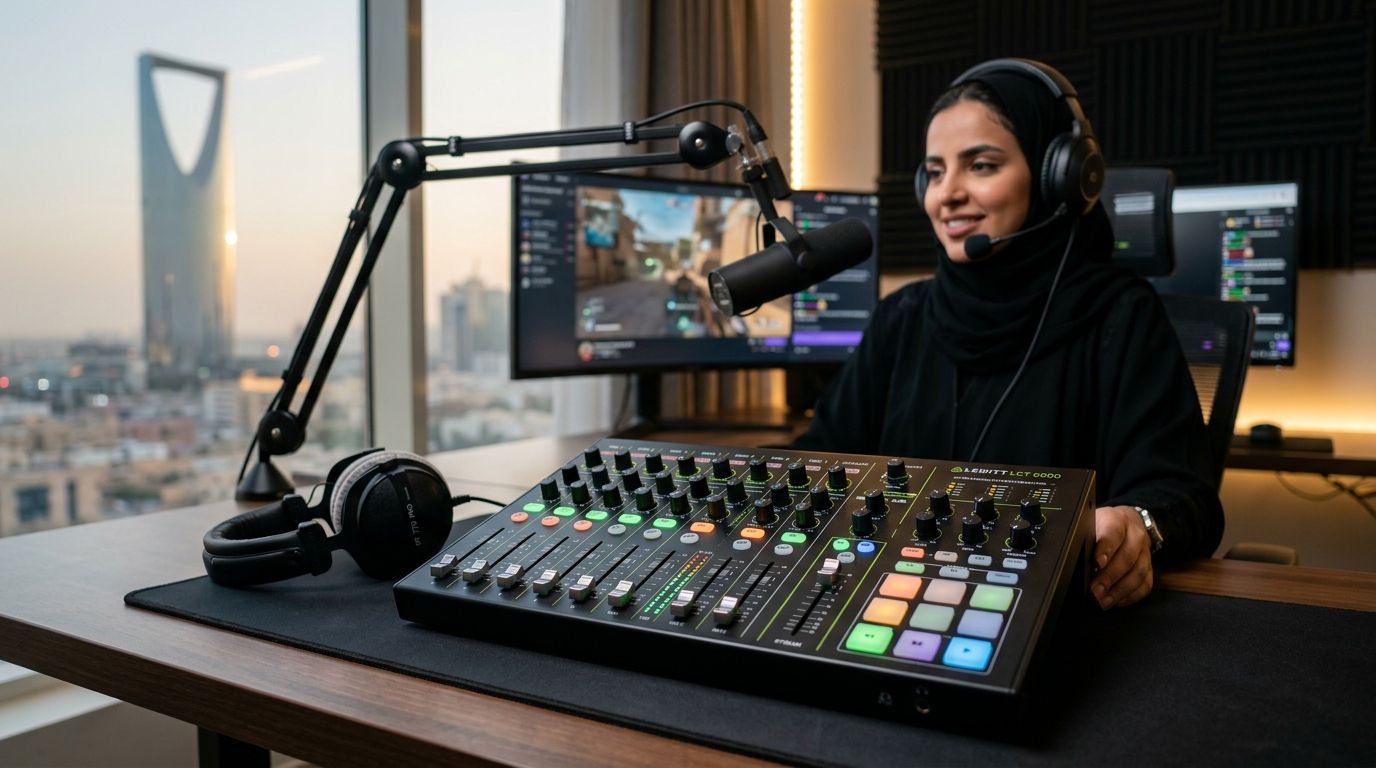
RODECaster Pro II is the best audio mixer for streaming in 2026 for anyone running multi-guest podcasts or full production setups. Elgato Wave XLR wins for solo streamers who want software-based mixing without a physical deck. GoXLR Mini takes live, on-the-fly fader control. Yamaha AG03Mk2 is the budget pick for beginners building their first setup.
- RODECaster Pro II is the best audio mixer for streaming in 2026 for multi-guest production.
- Elgato Wave XLR wins for solo streamers who prefer software mixing over physical faders.
- GoXLR Mini is the pick for live, hands-on fader control during a stream.
- Yamaha AG03Mk2 is the budget-friendly all-rounder for a first streaming setup.
- None of these six options require a physical mixer if your gaming PC handles routing through OBS.
Why this matters
Audio quality is the difference between a stream that gets watched and one that gets muted. A weak preamp, clipping mic, or bad gain staging shows up in every clip you upload, no matter how strong your GPU or monitor setup is.
Most streamers in Saudi Arabia in 2026 are building around a gaming PC first and adding audio gear second — check a gaming PC built for streaming and encoding before you spend on a mixer, since a weak CPU will bottleneck your stream regardless of mic quality. An audio mixer for streaming only pays off once the rest of the rig can keep up.
What makes the best audio mixer for streaming
- Input flexibility — XLR combo jacks, 3.5mm aux, and line-in for a phone or console
- Physical control layout — dedicated faders and mute buttons beat software-only sliders during a live show
- Built-in processing — onboard noise gate, compressor, and EQ so you're not stacking OBS filters
- Driver stability on Windows — no dropouts or crackle after long streaming sessions
- Software ecosystem — companion apps for per-app routing, soundboards, and voice effects
- Build quality — something that survives daily on/off cycling on a desk, not a fragile prosumer unit
Best audio mixers for streaming at a glance
| Mixer | Best for | Standout feature | Key limitation |
|---|---|---|---|
| RODECaster Pro II | Full production control | Touchscreen channel strips, multitrack SD recording | Steep learning curve for casual streamers |
| Elgato Wave XLR | Solo streamers, software mixing | Wave Link app mixes game, mic, and browser audio | Needs a PC running Wave Link constantly |
| GoXLR Mini | Live, hands-on mixing | Four physical faders with instant mute | No XLR input — USB mic only |
| Yamaha AG03Mk2 | Budget all-rounder | Onboard DSP effects and loopback for game+voice | Basic routing compared to GoXLR |
| Behringer Xenyx Q802USB | Multi-guest budget setups | Two mic preamps plus stereo channels | No per-app software mixing |
| Focusrite Scarlett Solo | Minimalist voice-only streams | Clean single-channel preamp | No built-in effects or routing |
1. RODECaster Pro II: best audio mixer for streaming with full production control
The RODECaster Pro II is a standalone production console with four XLR combo inputs, touchscreen fader control, and onboard multitrack recording to a microSD card. It's built for streamers running co-hosts, call-in guests, or a podcast-style format alongside gameplay.
RODECaster Pro II pros:
- Touchscreen channel strips instead of tiny physical knobs
- SmartPads for instant sound effects and stingers
- Records multitrack audio locally, independent of your PC
- Bluetooth input for phone call guests
RODECaster Pro II cons:
- Overkill for a single-mic, solo streaming setup
- Menu depth takes real time to learn before your first stream
- Bulkier footprint than a USB-only interface
Best for: streamers running regular co-hosted shows or multi-guest podcasts. Verdict: Buy if your format needs more than one mic.
2. Elgato Wave XLR: best audio mixer for streaming solo with software mixing
The Elgato Wave XLR converts a standard XLR microphone into a clean USB-C signal and hands the actual mixing to the Wave Link software on your PC. It blends game audio, mic, and browser sound into a single stream feed without a physical deck on your desk.
Elgato Wave XLR pros:
- Clipguard prevents mic clipping automatically
- Wave Link separates what you hear from what viewers hear
- Small footprint, no extra desk space needed
- Digital gain dial replaces a noisy analog knob
Elgato Wave XLR cons:
- Mixing lives in software, so a PC crash affects your audio chain
- No onboard recording if your PC drops
- Limited to one XLR input
Best for: solo streamers who want interface-grade audio without learning a mixer. Verdict: Buy for most single-mic setups in 2026.
3. GoXLR Mini: best audio mixer for streaming with live fader control
The GoXLR Mini gives you four physical faders and instant mute buttons for mic, game, chat, and music, plus a built-in sampler and voice effects. It's built for streamers who want to ride levels live instead of trusting an automatic mix.
GoXLR Mini pros:
- Physical mute buttons react faster than any hotkey
- Built-in sampler for drops and sound effects during a stream
- Voice FX presets without extra software plugins
GoXLR Mini cons:
- No XLR input — you're locked into a USB microphone
- Smaller than the full GoXLR, so fewer routing options
- Software companion app is required for full configuration
Best for: streamers who already own a USB mic and want tactile control. Verdict: Buy only if you're fine skipping XLR mics entirely.
4. Yamaha AG03Mk2: best audio mixer for streaming on a budget
The Yamaha AG03Mk2 is a 3-channel USB mixer with onboard DSP effects — compressor, reverb, and voice enhancement — plus a loopback function for blending game audio and voice into one output. It's a common starting point for streamers who don't want to learn a complex routing system.
Yamaha AG03Mk2 pros:
- Onboard effects without needing OBS filter chains
- Loopback function simplifies game+voice mixing
- Physical knobs for quick manual adjustment
Yamaha AG03Mk2 cons:
- Routing options are basic next to GoXLR or RODECaster
- Build feels lighter than the higher-tier options on this list
- Only one XLR mic input
Best for: first-time streamers building an entry-level setup. Verdict: Buy as a starter mixer for 2026.
5. Behringer Xenyx Q802USB: best budget mixer for multi-guest streaming
The Behringer Xenyx Q802USB is an analog mixer with two mic preamps, stereo channels, and a USB output for recording or streaming. It's the option for streamers who need multiple inputs — mic, instrument, phone line — without paying for a digital ecosystem.
Behringer Xenyx Q802USB pros:
- Two mic preamps for co-hosted setups
- Analog knobs are simple and immediate
- Handles instruments and line-level sources easily
Behringer Xenyx Q802USB cons:
- No per-app software mixing
- No onboard DSP or noise gate
- More manual gain staging than digital alternatives
Best for: streamers on a tight budget who need more than one input. Verdict: Hold unless you specifically need multiple analog inputs.
6. Focusrite Scarlett Solo: best minimalist audio interface for voice-only streams
The Focusrite Scarlett Solo is a 2-channel USB audio interface rather than a full mixer, built around a single clean XLR/instrument preamp. It suits streamers who just need one mic to sound good with no routing complexity.
Focusrite Scarlett Solo pros:
- Clean, low-noise preamp for the price
- Simple plug-and-play setup
- Small enough to tuck behind a monitor
Focusrite Scarlett Solo cons:
- No built-in effects or per-app audio routing
- Requires OBS-side configuration to separate mic and game audio
- Only one input, so no room to add a co-host later
Best for: solo streamers who want interface-level clarity and nothing else. Verdict: Buy for the simplest possible setup.
How we ranked these audio mixers
Each mixer was weighed against the six criteria above: input count, physical versus software control, built-in processing, driver reliability, app ecosystem, and daily build quality. The ranking order reflects the software-versus-hardware trade-off most streamers actually face in 2026 — RODECaster Pro II and GoXLR Mini sit at the hardware-heavy end, Elgato Wave XLR and Focusrite Scarlett Solo push mixing into software.
Build the PC behind your stream
Check gaming PC builds that handle encoding and mixing without dropped frames.
Which audio mixer for streaming should you choose?
For most streamers starting in 2026, Elgato Wave XLR is the safest first purchase — clean preamp, simple software mixing, no learning curve. Move up to RODECaster Pro II the moment your format adds a regular co-host or guest calls. Pick GoXLR Mini only if you already own a USB mic and want physical faders over software sliders.
A mixer only matters if the rest of your streaming rig keeps pace — a 4K gaming PC with enough headroom for encoding, a gaming monitor that won't lag your overlay, and enough DDR5 RAM to run OBS alongside your game without stutter all matter more than the mixer badge on your desk.
FAQ
What's the best audio mixer for streaming in 2026?
RODECaster Pro II is the best overall pick for 2026 for multi-guest streaming setups, while Elgato Wave XLR is the better choice for solo streamers who prefer software mixing.
Do you need a physical mixer or can software handle it?
Software can fully replace a physical mixer for solo streamers — Elgato Wave XLR and similar USB interfaces route mic, game, and browser audio through the companion app. A physical mixer only becomes necessary once you're managing multiple live inputs.
Is GoXLR Mini worth it over the full GoXLR?
GoXLR Mini is worth it if you already own a USB microphone and want physical faders, since it drops the price by removing the XLR preamp section. If you need an XLR mic input, the full GoXLR is the better fit.
What's the difference between an audio interface and a mixer?
An audio interface like the Focusrite Scarlett Solo converts a mic signal to digital and leaves mixing to software, while a mixer like the Behringer Xenyx Q802USB blends multiple inputs with physical knobs before the signal reaches your PC.
How many XLR inputs do I need for streaming?
One XLR input covers a solo streamer. Two or more inputs matter only if you regularly record co-hosts or guests in the same room, which points toward RODECaster Pro II or Behringer Xenyx Q802USB.
Does RODECaster Pro II work with OBS?
Yes, RODECaster Pro II outputs a clean USB audio signal that OBS picks up as a standard input device, alongside its own multitrack SD recording.
Can I stream with just a USB microphone and no mixer?
Yes, a USB microphone plugged straight into your gaming PC covers most solo streaming needs; a mixer or interface becomes useful once you want gain control, effects, or multiple sources blended together.
One last thing
The detail most first-time buyers miss on the GoXLR Mini: it has no XLR input at all, so if you're planning to upgrade to a studio-style condenser mic later, you'll outgrow it fast. Check what mic you actually want in 2026 before locking in a mixer that can't take it.


